Which coaching apps integrate with wearables, payments, Zapier and your website?
Coachway, our own product, connects to your clients' watches through Apple Health and Health Connect, takes payments through your own Stripe account, sends events to Zapier and puts lead forms on your website. It has no booking calendar and no direct Strava connection. Below: how each kind of integration works, what to check, and eight coaching platforms compared on wearables, payments, Zapier and booking.
By Markus Evers · Updated November 2026
the short version
Coachway connects to your clients' watches through Apple Health on iPhone and Health Connect on Android (Apple Watch, Garmin once Garmin Connect shares to either, Fitbit through the Google Health app), takes payments through your own Stripe account, sends nine trigger events (leads, clients, payments) to Zapier, though Zapier cannot write back into Coachway, and embeds its lead form on your website. It has no booking calendar, no direct Strava connection, no workout push to a watch and no gym-equipment integration.
- Need booking inside the coaching app? My PT Hub (1-to-1 bookings on every paid plan), Everfit (from Pro) or Trainerize (paid plans), or keep Coachway and add a booking link such as Calendly or Cal.com.
- Need direct Strava or structured workouts sent to a watch? An endurance platform such as Final Surge or TrainingPeaks.
- Need the widest device list? Trainerize and Everfit list the most wearables, including Withings, Oura and WHOOP.
Coachway costs EUR 69/month including up to 5 active clients, then EUR 9 per extra client (USD 79 + 10, GBP 59 + 8). Payments run on your own Stripe account; Coachway takes 2.4% per transaction plus Stripe's fees.
Test the watch sync, Stripe and Zapier yourself, free for 14 daysWhich coaching apps sync with Apple Watch, Garmin and Fitbit?
There are two ways a coaching app gets watch data. Some connect to each device brand one by one. Others read from the phone's health platform: Apple Health on iPhone and Health Connect on Android. The watch app writes to that platform, and the coaching app reads from it, so one connection covers every device that shares its data there.
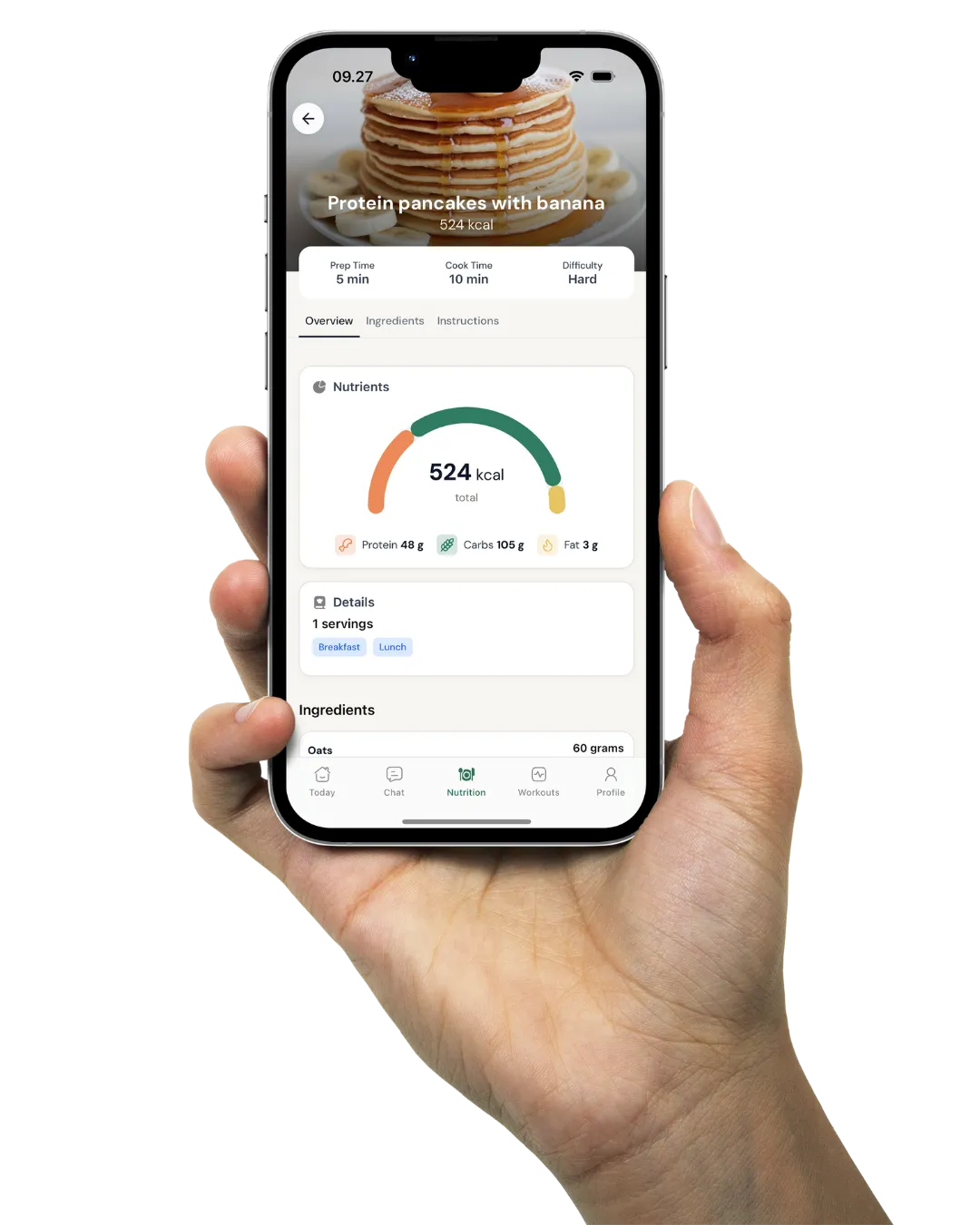
Coachway uses the second way. Your client grants access once from their own phone, and steps and activities such as runs, rides and walks arrive the next time they open the app. See activity tracking in Coachway for the setup and client progress tracking for where the data shows up next to weight, measurements and check-ins.
- Apple Watch. Its data flows into Apple Health on the iPhone automatically, and Coachway reads it from there.
- Garmin. Works on iPhone and Android once Garmin Connect shares its data to Apple Health or Health Connect.
- Fitbit. Works on iPhone and Android. The Google Health app (formerly the Fitbit app) shares to Apple Health on iPhone and to Health Connect on Android, and Coachway reads it from there. Some data, such as heart rate variability, does not reach Apple Health.
- Samsung Health and other Android apps. Anything that shares its data to Health Connect reaches Coachway the same way.
What does not sync to Coachway
- Weight. Clients log it themselves, in the app or in their check-in.
- Strava. There is no direct Strava connection.
- Workouts to the watch. Coachway does not push structured workouts to a Garmin or Wahoo.
- Gym equipment. There is no integration with gym machines.
Among the rivals, Trainerize connects Apple Health, Health Connect, Garmin, Fitbit and Withings on its paid plans, with its own Apple Watch app. Everfit lists Apple Health, Health Connect, Google Fit, Garmin, Fitbit, Oura and WHOOP. TrueCoach keeps wearables for its Standard and Pro plans. PT Distinction connects Fitbit and MyZone and has an Apple Watch app.
If a client's step count in Coachway looks off, the usual causes are that the watch has not synced to the phone yet, or that the phone and the watch are both counting. The client opens the watch app first, then taps Sync now under Profile > Integrations.
Own Stripe account or platform-held payments?
Every coaching app on this list takes card payments through Stripe in some form. The difference that matters is whose account it is. With your own Stripe account, the payments, the customer records and the payout schedule sit with you, and they stay with you if you change software. With a payment system run by the platform, the platform sets the fee and decides which countries it works in.
Coachway runs on your own Stripe account. In Settings > Stripe you click Connect with Stripe and follow the steps. A standard Stripe account or a new one works; a Stripe Express account that another platform created for you will not, because that platform controls it. Payments run on your own Stripe account; Coachway takes 2.4% per transaction plus Stripe's fees. Once you add Coachway's domain in your Stripe settings, clients can also pay with Apple Pay or Klarna where Stripe offers them. More on how payments work in Coachway.
Among the rivals, My PT Hub, Kahunas and HubFit (from its Premium plan) also run on the coach's own Stripe, and Kahunas and PT Distinction add PayPal. Trainerize sells Stripe payments as a USD 10 a month add-on on Grow and Pro. Everfit charges USD 9 a month for Payments & Packages, with processing fees on top. TrueCoach's built-in payments charge a flat 5% per transaction, card processing included, and work only in the US, UK, Canada and Australia.
What to check before you connect payments
- Whose Stripe account it is, and whether you can bring the one you already have.
- The platform's fee per transaction, plus Stripe's own fee, on a typical month of your billing.
- Whether payments work in your country and your clients' currency.
- Whether payments are included or a monthly add-on.
For a full comparison on fees and countries, see the best payment software for personal trainers.
What can Coachway send to Zapier?
Coachway's Zapier integration is triggers only: something happens in Coachway, and Zapier starts an action in another tool. It offers nine events.
- New lead created
- Lead changes status (filter on Won, Lost or any status)
- Lead accepts an offer
- New client created
- Client logs into the app for the first time
- Purchase completed
- Subscription started
- Client requests cancellation
- Subscription ended
Typical uses: a new lead lands in your follow-up spreadsheet, a cancellation request texts you so you can call the client the same day, a new client is added to your email list. A status change carries both the new and the previous status, so a Zap can fire only when a lead moves from Offer sent to Won.
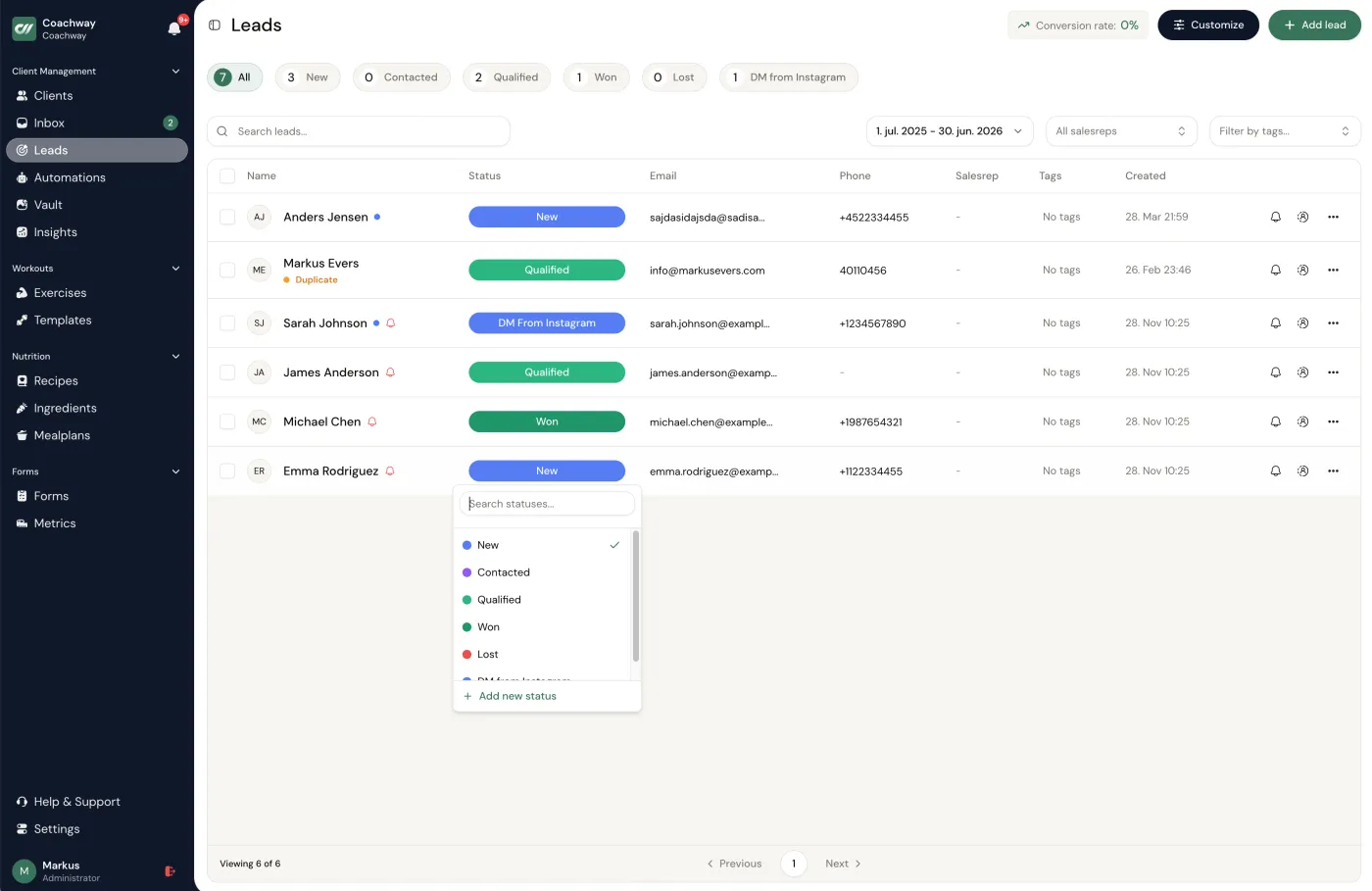
What it cannot do: Zapier cannot create or change anything in Coachway. It cannot create clients or leads, assign meal plans, upload files or send messages to clients, and there is no public API. The Zapier app is private, so you will not find it by searching Zapier; an account admin opens it from Settings > Account > Integrations. Lead handling and these events are covered on the Coachway leads page.
On the rival side, Zapier often sits on a higher plan: from Standard or Pro on TrueCoach (its pricing page lists both; check the vendor), Ultimate only on HubFit, from 25 seats on Kahunas (with Make), a paid plugin on Everfit's Studio plan and a EUR 18 a month add-on on My PT Hub (included on its Ultimate plan). Trainerize includes it on its paid plans, and PT Distinction lists it among its integrations. On every platform, check whether the integration only sends events out or can also create records inside the app.
How do you connect a coaching app to your website?
For most coaches the website job is simple: a prospect fills in a form, and the answers land where you will coach them. In Coachway you build the form yourself, copy its iframe embed code and paste it into your site. It works with WordPress, Webflow, Squarespace and most website builders. Pick one of five themes and edit the title and description. You can keep several form templates, with one active at a time.
You do not need a website at all. Every form has its own public link, such as leads.coachway.io/yourname, for an Instagram bio, an ad, an email signature or a QR code. Each submission lands in your lead pipeline with the answers attached, and you convert the lead to a client when they sign up.
One limit to plan around: leads from a form you built elsewhere cannot be pushed into Coachway through Zapier, because the integration only sends events out. Send your landing page traffic to the Coachway form, or embed it on that page.
Other platforms go further on the website side. PT Distinction lets you sell packages on your own website and host the client login there, and My PT Hub connects to your website through its Packages feature.
Which coaching apps have booking and calendar sync?
Coachway has none. There is no booking calendar, no class scheduling and no calendar sync. Coaches who book discovery calls or sessions pair it with a booking tool, usually a free Calendly or Cal.com link, and run the programs, check-ins, chat and billing in Coachway. Put the booking link next to your lead form and you have the whole intake: the form records who they are, the link books the call.
If you want booking inside the coaching app, these rivals have it:
- My PT Hub: 1-to-1 bookings on every paid plan, group bookings and classes from Premium, and sync with Google Calendar or iCal.
- Everfit: clients book, reschedule and cancel in the app from the Pro plan, and you can connect Google Calendar.
- Trainerize: appointments, classes and Google Calendar sync on paid plans; shareable booking links come with its Business add-on.
- PT Distinction and Kahunas: scheduling inside the platform; check the vendor for how clients book.
Our guide to coaching scheduling software compares ten booking tools and coaching platforms on self-booking, reminders and payment at booking.
Coaching software integrations compared
Coachway covers wearables through Apple Health and Health Connect, payments through your own Stripe, and Zapier with nine trigger events, but has no booking. Trainerize, Everfit and My PT Hub cover all four columns, with wearables, Zapier or booking on paid plans or add-ons. HubFit and Kahunas keep Zapier for a higher plan, and TrueCoach gates it to Standard or Pro.
| Platform | Wearables | Payments | Zapier | Booking / calendar |
|---|---|---|---|---|
| Coachway | Apple Health (iPhone) and Health Connect (Android): Apple Watch, Garmin when Garmin Connect shares data there, Fitbit through the Google Health app. Weight does not sync. | Your own Stripe account; built-in payments cost 2.4% per transaction | Yes, triggers only: nine events (leads, clients, purchases, subscriptions) | None; pair it with a booking tool |
| Trainerize | Apple Health, Health Connect, Garmin, Fitbit, Withings, Apple Watch app; paid plans only | Stripe Integrated Payments add-on, USD 10/mo on Grow and Pro, included on Studio | Yes, on paid plans | Appointments, classes and Google Calendar sync on paid plans |
| TrueCoach | Apple Health and Apple Watch, Garmin, Oura and more; Standard and Pro only | Built-in, powered by Stripe; flat 5% per transaction incl. card processing; US, UK, Canada and Australia only | Standard and Pro per its plan cards; its feature list says Pro only. Check the vendor | Not on its pricing page; check the vendor |
| Everfit | Apple Health, Health Connect, Google Fit, Garmin, Fitbit, Oura, WHOOP | Payments & Packages add-on, USD 9/mo, on a Stripe account you connect; processing fees on top | Paid plugin on the Studio plan, priced by task volume | Client self-booking from Pro; connects Google Calendar |
| PT Distinction | Fitbit, Apple Watch app, MyZone | Stripe and PayPal integrations | Yes; it suggests linking your booking software through it | Session scheduling inside the platform |
| My PT Hub | Apple Watch, Apple Health, Google Fit, Fitbit; Garmin, WHOOP and Oura through those | Stripe: create one or link your existing account | EUR 18/month add-on; included on Ultimate | 1-to-1 bookings on every paid plan, classes from Premium; syncs Google Calendar or iCal |
| Kahunas | Yes, from the first seat tier (3 seats) | Your own Stripe or PayPal; Kahunas states it takes no cut | Zapier and Make from 25 seats | Calendar from the first seat tier; check the vendor for client self-booking |
| HubFit | Wearable tracking on every plan, including Free; check the vendor for which devices | Your own Stripe, from the Premium plan | Ultimate plan only (with API and webhooks) | Not on its pricing page; check the vendor |
Sources: Coachway is our own product, and its rows come from its own help centre. Trainerize, TrueCoach, Everfit, PT Distinction, My PT Hub, Kahunas and HubFit were checked on their own pricing, feature and help pages on 4 November 2026; payment fees and countries come from our dated reviews (September to November 2026). Integrations and plan limits change, so confirm the ones you rely on with the vendor before you buy.
How do you test integrations in a trial?
An integrations page lists logos. Only a test shows what reaches you, how fast, and on which plan. Give it an hour in the trial.
- Invite yourself as a test client, connect your own watch through the phone app, take a short walk and check that today's steps and the walk arrive on the coach side.
- Connect the standard Stripe account you already use (an Express account created by another platform will not connect) and run a small real payment to yourself. Note the platform fee and Stripe's fee on the receipt.
- Build one Zap from the event you need most, such as a new lead or a cancellation request, and trigger it yourself.
- Embed the lead form on a test page of your website, submit it from your phone and find the lead in the pipeline.
- Book a call through the booking tool you plan to use and check that the invite reaches your calendar and that the same person shows up as a lead in Coachway.
Coachway's trial runs 14 days. A card is required, nothing is charged today, and you cancel anytime under Billing.
From the form on your website to the watch on their wrist.
A prospect fills in the lead form on your website and books a call through your booking link. The lead appears in your Coachway pipeline, and the "New lead created" event adds them to your follow-up sheet through Zapier. After the call you convert them to a client and start their subscription, which bills through your own Stripe account. They connect Apple Health or Health Connect once, and their steps and runs show up next to their check-ins and training log from then on.
Coachway costs EUR 69 a month including up to 5 active clients, then EUR 9 per extra active client, with every feature on one plan. Payments run on your own Stripe account; Coachway takes 2.4% per transaction plus Stripe's fees.
Already on another platform? Whether we can move your clients depends on where you are coming from: from some platforms our team moves your clients over for you, free. See switching to Coachway for what applies to yours.
Frequently asked questions about coaching software integrations.
Which personal trainer apps sync with Apple Watch and Garmin?
Coachway, Trainerize, TrueCoach, Everfit and My PT Hub all bring in Apple Watch and Garmin data, in different ways. Coachway reads from the phone's health platform: Apple Health on iPhone, where Apple Watch data lands automatically, and Health Connect on Android, so Garmin works once Garmin Connect shares its data to either. Fitbit works on Android through Health Connect but not on iPhone, and weight does not sync. Trainerize connects Apple Health, Health Connect, Garmin, Fitbit and Withings on its paid plans, TrueCoach connects Apple Health, Garmin and Oura on Standard and Pro, and Everfit lists Apple Health, Health Connect, Garmin, Fitbit, Oura and WHOOP. Checked on each vendor's own pages on 4 November 2026.
Can a coaching app connect to my calendar?
Trainerize, Everfit and My PT Hub can; Coachway cannot. Trainerize syncs appointments with Google Calendar on its paid plans, Everfit's booking connects Google Calendar from its Pro plan, and My PT Hub syncs with Google Calendar or iCal and includes 1-to-1 bookings on every paid plan. Coachway has no booking calendar and no calendar sync, so coaches pair it with a booking tool such as Calendly or Cal.com for discovery calls and sessions, and run the programs, check-ins and billing in Coachway.
Does Coachway integrate with Zapier?
Yes, with triggers only. Coachway sends nine events to Zapier: new lead created, lead changes status, lead accepts an offer, new client created, client logs into the app for the first time, purchase completed, subscription started, client requests cancellation and subscription ended. Zapier can react to those, for example by adding a new lead to a spreadsheet or texting you about a cancellation request, but it cannot create or change anything in Coachway. The Zapier app is private: an account admin connects it under Settings > Account > Integrations.
Can I connect my own Stripe account?
In Coachway, yes. Go to Settings > Stripe and click Connect with Stripe. Connect a standard Stripe account or create a new one; a Stripe Express account created by another platform will not work, because that platform controls it. Payments run on your own Stripe account; Coachway takes 2.4% per transaction plus Stripe's fees. My PT Hub, Kahunas and HubFit (from its Premium plan) also run on your own Stripe; TrueCoach's built-in payments charge a flat 5% per transaction, card processing included, and work in four countries.
Can I put a coaching app sign-up form on my website?
In Coachway, yes. Copy the lead form's iframe embed code into your site's HTML; it works with WordPress, Webflow, Squarespace and most website builders. Every form also has its own public link (leads.coachway.io/yourname) for an Instagram bio, an ad or a QR code, and each submission lands in your lead pipeline. Coachway does not take leads in from other forms through Zapier, so point your landing page at the Coachway form instead.
Does Coachway connect to Strava or gym equipment?
No. Coachway has no direct Strava connection, does not push structured workouts to a Garmin or Wahoo, and has no gym-equipment integration. Runs, rides and walks from a watch still arrive through Apple Health or Health Connect. If Strava sync or workouts sent to the watch decide it for you, look at an endurance platform such as Final Surge or TrainingPeaks. None of the platforms on this page list an integration with gym machines on the pages we checked. PT Distinction connects MyZone heart-rate belts, but that is a wearable, not gym equipment. Check the vendor for your own equipment.
Keep reading
all guidesUsing wearable data (Apple Watch, Whoop, Oura, Garmin) with coaching clients (2026)
Wearables give coaches a flood of data. What is signal and what is noise, how to use steps, sleep, and recovery without overreacting, and where the numbers stop and coaching starts.
Read the guideBest Payment & Billing Software for Personal Trainers
The best payment and billing software for personal trainers, compared on whether payments are included, where they work, and whose Stripe account gets paid.
Read the guideThe online coaching tech stack: what tools you actually need (2026)
Most coaches do not have a tech problem - they have a too-many-tools problem. This is the honest map of every job in an online coaching stack, which five belong in one all-in-one platform, and which (email, scheduling, content) you may still run separately. So you stop paying for and stitching together a patchwork.
Read the guideFree tools for this: Coaching Rate Calculator · Coaching Tool Stack Cost Calculator · Coaching Profit Calculator
See what Coachway can do for your coaching business
Coachway was built on knowledge from working with 150 online coaches over 6+ years, who all hit the same wall - slow platforms, clunky workflows, wasted hours. Start your 14-day free trial and see what we fixed - the whole platform, no charge today, cancel anytime under Billing.