


ChatGPT custom instructions for fitness coaches. Set the rules once, and every prompt gets shorter and better.
Half of every good prompt is context you retype each time: who you coach, how you talk, what you sell, what the assistant must never do. Custom instructions are two text boxes ChatGPT reads before every new chat, and Projects hold the same idea per job with the files attached. Coaches on r/personaltraining already build this by hand ("I fed it my entire database of programs"); nobody had written the setup down. This page is the copy-paste version: both boxes, four Project blocks, what to upload and what must never be uploaded, the same setup in Claude and Gemini, and a five-minute test.
By Markus Evers · Updated September 2026
the short version
ChatGPT custom instructions for a fitness coach are two boxes of about 1,400 characters each: what the assistant should know about you (niche, offer, voice, phrases, no-go list) and how it should respond (length, structure, the ban list, client data rules). Set them once, add four Projects, and test with three prompts.
What are ChatGPT custom instructions, and why should a coach set them once?
Custom instructions are two text boxes, each about 1,500 characters at the time of writing, that ChatGPT reads before every new chat, so a coach who fills them once stops re-explaining their niche, tone and rules in every prompt. They live in Settings under Personalization; after that, check the current menu, because it moves. The first box is about you, the second is about how the assistant should behave, and the two blocks below are written to fit.
01
Shorter prompts
"Write a caption about protein" works, because the niche, the voice and the ban list are already loaded.
02
Fewer bad drafts
The no-go list (invented results, medical advice, the closing offer line) is enforced before you type, not fixed after.
03
Safer client data
"Treat anything I paste about a client as confidential and ask before assuming anything about health" is a standing rule, not a hope.
What should a fitness coach put in the two custom instruction boxes?
Box one holds what the assistant should know about you: niche, clients, offer, method, real credentials, tone in three words, five phrases you use, the phrases you never use, your pillars, your audience's objections, where your work lives, and the four things it must never do. Box two holds how it should respond: default length and rhythm, the ban list, spelling, how to treat client information, the fixed structures for a check-in reply, a program request and a content request, and the rule that it never writes the final message to a struggling client. Fill the brackets and paste.
Box 1: what should ChatGPT know about you
When to use it: Once. Fill every bracket with your real details; leave out any credential you do not hold.
What to paste in: Your niche, offer, method, tone, phrases, pillars and objections.
I am an online fitness coach. Niche: [YOUR NICHE, e.g. fat loss for women over 40 who lift]. Clients: [NUMBER RANGE] adults, coached remotely through an app with weekly check-ins. What I sell: [YOUR OFFER, price, length]. My method in one line: [YOUR METHOD]. Credentials: [YOUR CERTIFICATIONS, ONLY REAL ONES]. Tone: [three words, e.g. direct, warm, dry humour]. Phrases I actually use: [LIST 5]. Phrases I never use: elevate, unlock, journey, game-changer, empower, transform, dive in, seamless, "it's not X, it's Y". My content pillars: [3 PILLARS]. My audience's real objections: [3]. Where my work lives: my clients' programs, check-ins and messages sit in my coaching platform; you draft, I edit and send. What you must never do: invent client results, names, numbers or testimonials; give medical, diagnostic or supplement dosing advice; write as if you are me to a client without me editing; add a closing offer line ("If you'd like, I can..."). Box 2: how should ChatGPT respond
When to use it: Once, in the second box. Pick your spelling.
What to paste in: Nothing beyond the spelling choice; the rules are complete.
Write like a person who coaches for a living, not like a marketing team. Default length: short. Sentences of different lengths, at least one under six words. No groups of three, no rhetorical question stacks, no emoji unless I use them, no summary sentence at the end, no "in today's fast-paced world". Spelling: [British / American]. When I paste client information, treat it as confidential, use only first names or initials, and ask me before assuming anything about health. When I ask for a program or meal idea, ask me two questions first if training age, injuries, equipment or calories are missing; then give a draft labelled "draft for coach review". When I ask for content, give me one strong version and two hooks, not ten weak versions. When I ask for a check-in reply, use this structure: acknowledge one specific thing, assess, one adjustment, one question. Never write the final version of a message that goes to a client who is struggling; give me bullet points instead and say "write this one yourself". If you are unsure, say so in one line instead of guessing.
Box two's voice rules are a summary; the ten-sample version that produces a style card with your actual phrases is in how to train ChatGPT on your coaching voice. Paste that card into box one's "phrases I actually use" line when you have it.
How do Projects change the setup?
Projects change the setup by holding context per job instead of per person: a Content project with your captions and calendar, a Client comms project with your replies and process facts, a Programming assistant project that reviews but never authors, and a Business admin project with your prices and policies. Each has its own instruction text and its own files, so a check-in chat is not carrying your caption samples. The table gives the four; the blocks below are the instruction text for each. When one job repeats every week with its own files and starters, the next step up is a saved assistant: how to build a custom GPT for your coaching business has the 7 steps and two complete instruction files.
| Project | Purpose | Files to upload |
|---|---|---|
| Content | Captions, carousels, Reels scripts, Stories, the monthly calendar. | Ten captions you wrote, your style card, your three pillars, your offer page, this month's calendar. |
| Client comms | Check-in reply drafts, onboarding emails, DM replies to enquiries. | Five check-in replies you wrote (names removed), your onboarding emails, your offer and price, your process facts (check-in day, reply hours). |
| Programming assistant | Reviewing blocks you wrote, substitutions, progression rules, deload checks. | Your block templates, your exercise library list, your constraints sheet template, your periodization notes. |
| Business admin | Offer page copy, FAQ answers, pricing maths, policies, email templates, meeting notes. | Your offer page, your prices and billing terms, your contract and policies, your FAQ answers, your business plan. |
Project instructions: Content
When to use it: Captions, carousels, Reels scripts, Stories, the monthly calendar.
What to paste in: Files: Ten captions you wrote, your style card, your three pillars, your offer page, this month's calendar.
This project is for my marketing content only: Instagram captions, carousel slides, Reel scripts, Story frames and the monthly calendar. Use the style card and the captions in this project's files as the voice for everything; copy their length, openers and repeated phrases. Every first line must name a specific thing (a number, a food, a lift, a client moment), never a rhetorical question. One post, one point, one ask. Never invent a client result, a number or a quote; where a real figure belongs, write [NEEDS YOUR NUMBER]. Client stories are marked "with permission" and never describe a body. Banned: elevate, unlock, journey, game-changer, crush, smash, empower, "let's go", lists of three, emoji walls, a summary or an offer line at the end. Output one strong version and two alternative first lines, not ten weak versions. Label everything "DRAFT FOR COACH REVIEW".
Project instructions: Client comms
When to use it: Check-in reply drafts, onboarding emails, DM replies to enquiries.
What to paste in: Files: Five check-in replies you wrote (names removed), your onboarding emails, your offer and price, your process facts (check-in day, reply hours).
This project drafts client-facing messages that I will edit before sending. Voice comes from the replies and emails in this project's files. Anything I paste about a client is confidential: use first names or initials only, never repeat health details back, and ask before assuming anything about health, medication or injuries. Check-in replies follow four parts: acknowledge one specific thing with its number, assess in one or two sentences, one adjustment with the reason, one question they can answer with a yes or a number; 4 to 8 sentences. Onboarding emails are 120 to 180 words with one job, one ask and one link, about my process, never about results. If a client is slipping, upset or silent, do not write the message: give me three things to name, two possible reasons, one small adjustment and three opening lines, then say "write this one yourself". No medical advice, no praise inflation, no "let me know if you have any questions". Label everything "DRAFT FOR COACH REVIEW".
Project instructions: Programming assistant
When to use it: Reviewing blocks you wrote, substitutions, progression rules, deload checks.
What to paste in: Files: Your block templates, your exercise library list, your constraints sheet template, your periodization notes.
This project reviews training programs I have written. You review, you do not author: flag red flags, pattern overload and missing progression; never change loads without a reason I can read. Before any review, check the client facts I give you (training age, goal, sessions and minutes, equipment, limitations in general terms, anchor lifts, block length) and ask for whatever is missing instead of assuming. When I ask for substitutions, give five ranked by closeness of movement pattern, with the reason and the cue, and never load the pattern that caused the discomfort. When I ask for a progression rule, use one variable per lift, state the trigger for progressing and the fallback for a missed session, and keep week 4 as a deload. If I push back on your review, do not simply agree; restate your reason or say "not sure". No medical or injury advice; use "discomfort" and "in general terms". Keep reviews under 200 words. Nothing you produce goes to a client; I build the program in my platform.
Project instructions: Business admin
When to use it: Offer page copy, FAQ answers, pricing maths, policies, email templates, meeting notes.
What to paste in: Files: Your offer page, your prices and billing terms, your contract and policies, your FAQ answers, your business plan.
This project handles the admin around my coaching business: offer page copy, FAQ answers, pricing calculations, policy wording, email templates and turning my meeting notes into actions. Use only the prices, terms and policies in this project's files; if a number is not there, ask me rather than inventing one. Write in the voice of the offer page in the files: plain, specific, no hype, no urgency, no "limited spots". For pricing maths, show the working in a table and state every assumption. For policies, write in plain language a client can understand and mark anything that might need a lawyer or an accountant with "[CHECK WITH A PROFESSIONAL]"; you are not giving legal, tax or financial advice. For meeting notes, output decisions, owners and dates only. No client names in anything here. Label drafts "DRAFT FOR COACH REVIEW".
What should a coach upload as reference files, and what must never be uploaded?
Upload your own material: writing samples, templates, your offer page, your policies, your FAQ answers. Never upload client material: intake forms with names, check-ins, weight histories, photos, screenshots of messages, or anything that mentions a condition, medication, injury or allergy. Health data is a special category under GDPR, and a file in a Project persists in a way a pasted, stripped check-in does not. The account-level settings that sit around the instructions (training control, memory, temporary chats, the plan) are in the memory and privacy settings guide.
| Upload (yours) | Never upload (theirs) |
|---|---|
| Ten captions you wrote and your style card | Client intake forms with names, dates of birth or addresses |
| Five check-in replies you wrote, names removed | Client check-ins, weight histories, photos or measurements |
| Your program and block templates, your exercise list | Anything mentioning a client's conditions, medication, injuries or allergies |
| Your offer page, prices, billing terms, policies | Screenshots of client messages or check-in threads |
| Your FAQ answers and onboarding emails | Payment records, contracts with client names, anything under an NDA |
How do I do the same in Claude and Gemini, and keep memory and privacy under control?
The same two blocks work in Claude and Gemini: Claude has Projects with an instructions field and file uploads, Gemini has Gems, which are saved instructions plus files, and both take box one and box two pasted together with the same files. For memory and privacy, check three things in whichever account you use: the setting that decides whether your conversations can be used to improve the models, a temporary or unsaved chat mode for anything sensitive, and what your plan (consumer, Team or Business) says about data use. State of those settings changes; check the current page rather than trusting a summary, including this one. The Gemini version with four complete gem instruction blocks is in Gemini Gems for fitness coaches.
Claude
Create a Project, paste both boxes into its instructions, upload the same files. One Project per job, same four as above.
Gemini
Create a Gem, paste both boxes into its instructions, attach the files. Name each Gem for its job so you pick the right one.
Memory hygiene
Delete saved memories that mention a client. Use a temporary chat for anything you would not want remembered. Never rely on a toggle to make a client detail safe; strip it first.
The wider rules on client data and AI tools, including what your privacy notice should say, are in client data privacy for online coaches.
How do I test the setup in five minutes?
Test the setup with three short prompts and compare each answer to what a good one looks like: a caption request should come back in your phrases with one detail and no closing offer; an anonymised check-in should come back in the four-part structure quoting the client's own line; a bare program request should come back as two questions, not a plan. If any of the three fails, the fix is in the box, not in a longer prompt.
| Test | Type this | A good answer looks like |
|---|---|---|
| 1 | "Write a caption about protein for my audience." | Uses your phrases from the samples, one specific detail, no groups of three, no closing offer, one version plus two hooks, labelled a draft. |
| 2 | "Here is a check-in: [paste an anonymised week: sessions done, adherence, weight trend, one line of their words]." | Four-part structure, quotes their own line, one adjustment with a reason, one question, under 8 sentences, no medical drift. |
| 3 | "Give me a 3-day program for a client." | Asks you two questions first (training age, equipment, limitations, minutes) instead of producing a generic plan. |
Where the outputs go
Every output is a draft: the caption goes to your scheduler after the rewrite pass, the check-in reply goes to the client from your coaching platform after you have added the one detail only you know, and the program review goes into the block you build in your programming tool. In Coachway the reply, the program and the message all sit on the client's screen; the assistant never touches it. All six instruction blocks on this page are also in the free AI prompt pack for online coaches.
Write the notes from the client's whole picture, then send the reply where the client already talks to you.
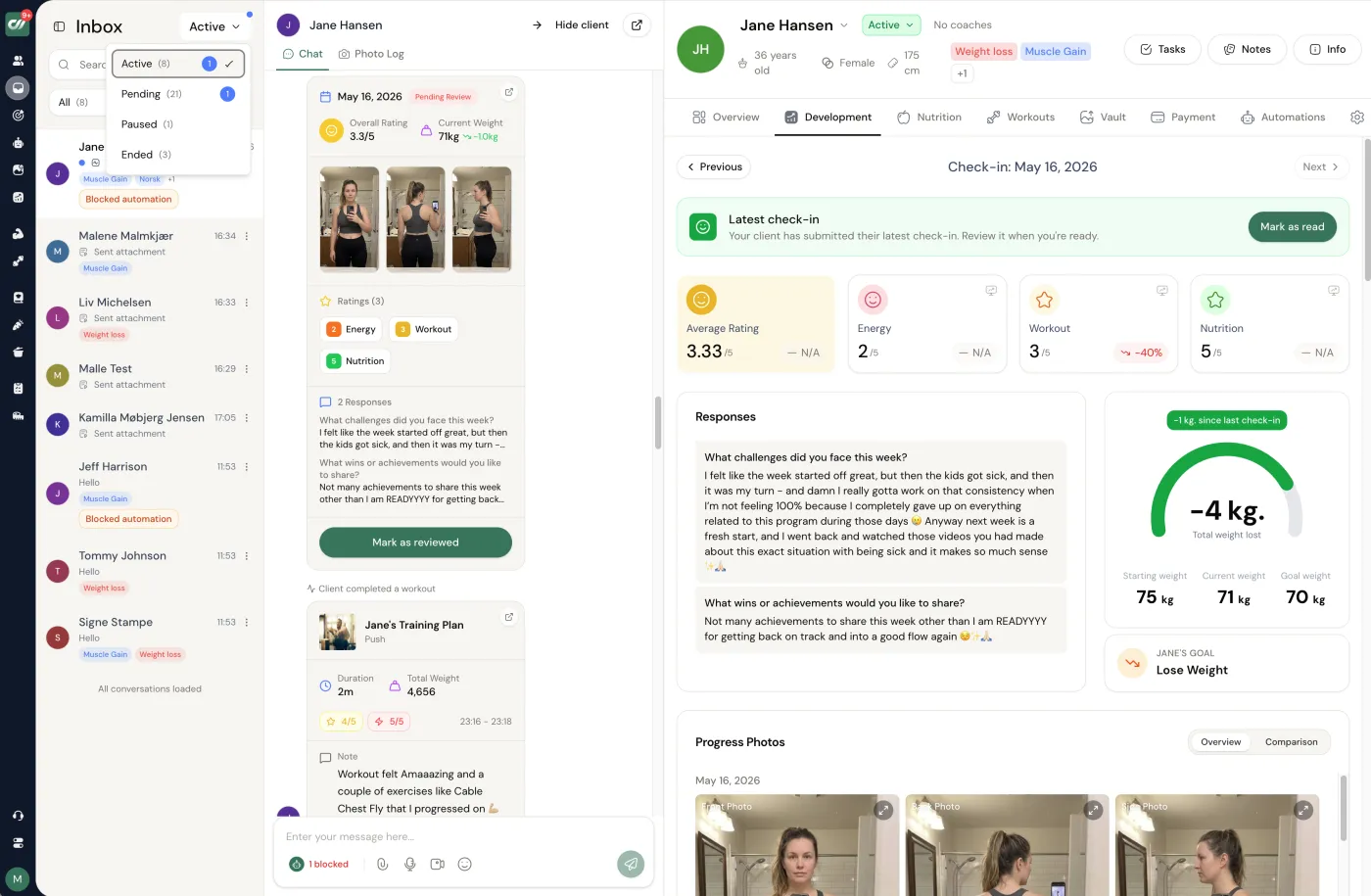
Your custom instructions only shape the words. The client context the reply is written from, and the place it is sent, belong in your coaching system, and client health data never gets pasted into ChatGPT. In Coachway the Power Panel puts the client's check-in answers, numbers, progress photos, training log and latest messages on one screen, so the stripped notes you paste into the Client comms Project come from the full picture. Edit the draft there and send it back through the in-app chat as text, a voice note or a short video message.
Frequently asked questions about ChatGPT custom instructions for coaches.
What should I write in ChatGPT custom instructions as a personal trainer?
Two things. In the "about you" box: your niche, who you coach and how, what you sell, your method in one line, your real credentials, your tone in three words, five phrases you use, the phrases you never use, your three content pillars, your audience's objections, and what the assistant must never do (invent results, give medical advice, write to a client unedited, add a closing offer). In the "how to respond" box: length, sentence rhythm, the ban list, spelling, how to treat client information, and the fixed structures for a check-in reply, a program request and a content request. Both blocks are on this page, ready to paste.
What is the character limit for custom instructions?
At the time of writing each of the two boxes takes about 1,500 characters, which is why the blocks on this page are written to about 1,400 each. Limits change; if a paste is cut off, trim the examples in brackets first and keep the rules. A Project's instruction field is longer, so the four Project blocks here run 150 to 200 words each.
Custom instructions or a Project: which should a coach use?
Both, in that order. Custom instructions are read in every new chat and hold what is true of you everywhere: niche, voice, the no-go list. Projects hold the context for one job (content, client comms, programming review, business admin) plus the files that job needs, so a check-in chat is not carrying your caption samples. Set the two boxes first, then create the four Projects when you notice yourself re-pasting the same material.
Can I upload my client's check-in to a ChatGPT Project?
Not as it is. A check-in form with a name, weight history and health notes is personal data, and health data is a special category under GDPR. Strip it first: first name or initial, the week's numbers, the client's own words about the week, nothing medical, no photos, and then paste it into the chat rather than storing it as a Project file. What you can upload to a Project is your own material: your replies, your templates, your offer page.
Does ChatGPT train on what I paste, and how do I turn that off?
It depends on your plan and your settings, and both change, so check the current data controls in your account rather than trusting a summary. Consumer plans have a setting that decides whether your conversations may be used to improve the models, and a temporary-chat mode that is not kept; Team and Business plans handle data under different terms. Whatever the setting, the rule that keeps you safe is the one above: never paste client health data or identifying details in the first place.
Do custom instructions work in Claude and Gemini?
The same text does, under different names. Claude has a Project with an instructions field and file uploads; Gemini has Gems, which are saved instructions plus files. Paste box one and box two into the instructions field of a Project or a Gem, add the same files, and the assistant behaves the same way. Keep the text in a note so you can set up all three in ten minutes.
How do I stop ChatGPT adding "If you'd like, I can..." at the end?
Ban it in the "how to respond" box: "No summary sentence at the end and no closing offer line such as 'If you'd like, I can'." The block on this page includes that line. The habit is strong enough that it occasionally returns in long chats; when it does, reply "no closing offers" once and it stops for the rest of the conversation.
Should my instructions tell ChatGPT to act as a certified coach?
No. Tell it to write for you, a coach, and to draft; do not tell it to be one. An assistant told it is a certified coach starts giving confident advice on injuries, medication and calories, which is the thing you least want. The instructions here say "you draft, I edit and send" and "ask me before assuming anything about health", which is the useful version of the same idea.
Two boxes, four Projects, three tests. After that the assistant knows who you are before you type, and the rules that keep clients safe are standing rules instead of things you remember to say. Coachway costs EUR 69 per month for up to 5 clients plus EUR 9 per additional client, every feature included, with a 14-day free trial; the numbers are on pricing, and the AI tools worth a coach's time lists what sits around it.
Keep reading
all guidesHow to Train ChatGPT on Your Coaching Voice: The Voice-Profile Method
The voice-profile method for fitness coaches, done once in about 30 minutes: the ten samples to collect across captions, check-in replies, emails and DMs, the profile prompt that turns them into a style card, an example card, the header prompt that uses it, three tests that show whether it worked, and the six messages never to let AI write in your voice.
Read the guideHow to Make ChatGPT Not Sound Like AI: A Coach's Checklist (2026)
The 15 tells that give AI writing away, each with a before and after (contrast framing, groups of three, elevate and unlock, the closing offer line, question stacks, emoji walls, the summary sentence and more), the 60-second rewrite pass, a rewrite-in-my-voice prompt, an AI-tell detector prompt, and the six things a coach must never let AI write.
Read the guideBest AI tools for online fitness coaches in 2026
Most "AI for coaches" lists try to sell you a robot that programs and chats for your clients. That is the wrong job for AI. This is an honest rundown of the small admin kit worth your time - where AI genuinely saves a coach hours, where it quietly hurts the relationship clients pay for, and the all-in-one platform you actually run the business on around it.
Read the guideFree tools for this: Sales Objection Handler · Discovery Call Calculator · No-Show Cost Calculator
Ready-made template: AI Prompt Pack for Online Coaches
Where the edited draft reaches the client
Check-ins, messages, programs, meal plans and payments through your own Stripe on one client screen. Start the 14-day free trial and move one client over: cancel any time under Billing.


