


The best practice management software for coaches in 2026.
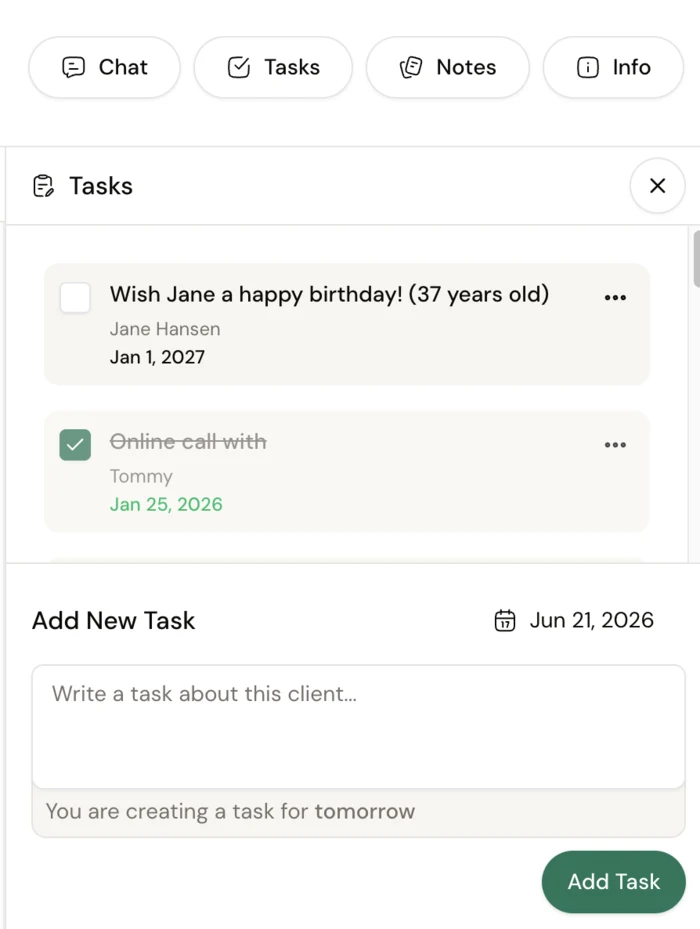
Coaching practice management software is the back office that runs your whole practice - client records, intake, notes, programs, check-ins, messaging, and payments - in one system instead of a pile of point tools. We ranked 10 platforms by what they actually run well: Coachway for online fitness and nutrition coaches, Practice Better and Healthie for clinical practitioners, CoachAccountable for accountability-led coaching, and Paperbell for call-based coaching. The honest breakdown is below.
By Markus Evers · Updated July 2026
How this comparison is made: we check every competitor's pricing and features against their live websites and re-verify them on a recurring basis. Coachway is our product - we flag it where it appears, we credit real competitor strengths, and we say who each platform fits better than us. Browse all platform comparisons.
Want to see a whole practice running from one tab before you read 10 reviews?
No charge today - cancel anytime under Billing.the short version
The best coaching practice management software holds client records, intake, programs, check-ins, messaging, and payments in one system. Coachway covers all of it for online fitness and nutrition coaches, with a unified inbox called the Power Panel, a branded client app, and billing through the coach's own Stripe account, priced at EUR 69/month for up to 5 clients.
The right pick depends on what you deliver: Coachway for fitness and nutrition coaches who want the whole practice in one tab with predictable per-client pricing, Practice Better and Healthie for clinical nutrition and wellness practitioners, CoachAccountable for accountability-led coaching outside fitness, Paperbell for life and business coaches selling calls and packages, and PT Distinction, Trainerize, and My PT Hub as fitness-specific back offices with different depths. We also cover Delenta and Satori for the wider coaching market.
What practice management software actually does.
Most coaches start by gluing point tools together: a booking link here, a form builder there, a spreadsheet for notes, a chat app for messages, and a separate payment link. It holds up for the first handful of clients, then a session gets double-booked, an intake answer goes missing, a payment fails quietly, and a check-in sits unanswered in a tool you forgot to open. A practice management system replaces that patchwork with one record per client, so you handle everything around one client from one tab, not six. If you run a health-focused practice specifically, our category guide to health coaching software narrows the field further. The checklist that matters:
- Client records and notes. Contact details, history, intake answers, plans, payments, and every check-in against one dated, searchable record.
- Intake forms. Goals, background, and consent captured at sign-up, feeding straight into the client record instead of a separate inbox.
- Programs and check-ins. The plans your clients follow, plus the weekly forms that show whether they are actually following them.
- A unified inbox. Every client conversation in one stream, so messages do not scatter across WhatsApp, email, and social DMs.
- Payments tied to the record. Recurring fees and one-off charges next to the client, ideally through your own Stripe account.
- Automations. Reminders, onboarding sequences, and follow-ups that run without you touching them every time.
How we ranked the 10 platforms.
This comparison is built on knowledge from working with 150 online coaches over 6+ years, watching which back-office setups survive past 30 clients and which ones collapse into admin. We judged each platform on: how much of the practice it runs from one record (clients, intake, programs, check-ins, messaging, payments), who owns the payment relationship, whether the client experience can carry your branding, and who the platform genuinely fits. For the client-delivery side specifically, see the best client management software for personal trainers, and for every tool a coaching business runs on beyond the back office, the guide to fitness business software.
The 10 platforms, compared.
| Platform | Best for | Standout | Price signal |
|---|---|---|---|
| Coachway | Online fitness and nutrition coaches | Whole practice in one tab: Power Panel inbox, programs, check-ins, branded app, own Stripe | EUR 69/mo up to 5 clients, then EUR 9 per client |
| Practice Better | Clinical nutrition and wellness practitioners | Clinical charting, telehealth, scheduling, and notes in one system | Free (3 clients); paid ~USD 35 to ~USD 155/mo |
| CoachAccountable | Accountability-led coaching outside fitness | Action plans, metrics, and worksheets; bills through your own Stripe, Square, or PayPal | USD 20/mo (2 clients) scaling by client count |
| Healthie | Clinical dietitians and telehealth practices | Built for clinical and team-based nutrition care | From ~USD 49/mo, rising for clinical/team tiers |
| Paperbell | Life, business, and mindset coaches | Scheduling, contracts, packages, and payments in one tidy place | Per coach, ~USD 57/mo; free way to try |
| PT Distinction | Nutrition-led fitness coaching in English markets | Deep, customizable programming and nutrition tooling | USD 19.90 to 89.90/mo with per-client overage |
| Trainerize | Workout-first coaching in North America | Mature workout builder and large install base; add-ons for payments and nutrition | Free tier, then paid monthly plans (USD) |
| My PT Hub | First-time platform users | Flat-rate unlimited-client mid tier; gentle learning curve | EUR 25 / EUR 59 / EUR 215 per month |
| Delenta | Life and executive coaches wanting an all-in-one portal | Markets itself as an all-in-one coaching business platform | Check the vendor's pricing page |
| Satori | Solo coaches selling sessions and packages | Positions itself as lean admin around enrollment and sessions | Check the vendor's pricing page |
Pricing and feature tiers change often - always confirm current rates on each provider's own pricing page. The full breakdown is below.
01 · best for fitness and nutrition coaches
Coachway
Coachway is the European-built practice management platform for online fitness and nutrition coaches, built on knowledge from working with 150 online coaches over 6+ years. Every client lives in one record inside the Power Panel unified inbox: their intake answers, training and nutrition programs, weekly check-ins, chat, notes, progress, and payment status side by side, so you handle everything around one client from one tab, not six. Automations carry onboarding, reminders, and follow-ups, and the whole thing reaches clients through an app carrying your logo, colors, and name. You can see the full feature set, run the whole client base from Power Panel, and run the numbers on the pricing page.
The trade-off: Coachway is not a scheduler, so discovery calls run through an external booking tool and then land in Coachway as a lead. It is also one of the younger platforms here, so the breadth of third-party integrations a decade-old system offers is still growing - in return you get features faster and same-day support from working coaches. And it is a coaching platform, not a clinical one: practitioners who need clinical charting belong with Practice Better or Healthie below.
A back office is hard to judge from a feature list. Run a real client week through it yourself, or have a working coach walk you through theirs.
No charge today - cancel anytime under Billing.02 · clinical nutrition and wellness
Practice Better
The strongest pick here for clinical nutrition and wellness practitioners. Practice Better is a true all-in-one for that lane: charting, telehealth, scheduling, notes, and integrations like Fullscript, with a free Sprout plan for up to 3 clients and paid plans from about USD 35 to roughly USD 155 per month. If your practice is clinical, it deserves to be top of your shortlist; our Practice Better alternatives guide covers when it is not the fit.
The trade-off: it is built for the clinical lane, not coaching delivery - there is no workout or training-program builder, and reviewers describe it as deep and occasionally overwhelming.
03 · accountability-led coaching
CoachAccountable
A general-purpose coaching-business platform (US, since 2012) built around accountability between sessions: action plans, metrics and charts, worksheets, courses, group coaching, and recurring billing. The client experience is a branded home-screen web app rather than a native store app, and billing runs through your own Stripe, Square, or PayPal with no added fee. Pricing scales by active client count, from USD 20/month for up to 2 clients. Full breakdowns in our CoachAccountable review and pricing guide.
The trade-off: no fitness tooling - no workout builder or meal database - and an English-only UI; reviewers describe it as feature-dense with a learning curve.
04 · clinical dietitians and telehealth
Healthie
The other clinical heavyweight. Healthie is built for clinical dietitians and telehealth practices, with pricing starting around USD 49 per month and rising for clinical and team tiers. If your practice needs records and workflows built for care delivery rather than coaching delivery, Healthie and Practice Better are the two to compare head to head.
The trade-off: like Practice Better, it lives in the clinical lane - it does not solve the training and coaching-delivery side, and costs climb as team and clinical needs grow.
05 · calls, packages, and contracts
Paperbell
Paperbell is genuinely good at the business admin of coaching: scheduling, contracts, packages, and payments in one tidy place, which is why life, business, and mindset coaches like it. It is priced per coach rather than per client - reported around USD 57 per month, with a free way to try it - which suits a low-volume, high-ticket practice. The client experience is a web-based portal rather than a branded app. When it stops fitting, our Paperbell alternatives guide maps the exits.
The trade-off: no workout builder, exercise library, or nutrition planner - a fitness coach on Paperbell ends up running delivery in other tools anyway.
06 · nutrition-led fitness coaching
PT Distinction
A UK-built platform with genuine depth in programming, nutrition planning, and habit tracking, and a strong fitness-specific back office for English-speaking markets. Pricing runs USD 19.90 to 89.90 per month by included client count, with per-client overage beyond each cap, and a branded app on higher plans. Our full PT Distinction review goes deeper.
The trade-off: the interface is dated compared with newer platforms, and there is limited Nordic and DACH localization.
07 · workout-first, north america
Trainerize
One of the most established workout-first platforms in North America, with a mature builder and a large install base. As a practice back office it is assembled from add-ons: Stripe payments, advanced nutrition, and the branded app are each sold separately on top of the base plan, so the real monthly total depends on which modules you switch on. The Trainerize pricing guide breaks the ladder down.
The trade-off: the back-office pieces are add-ons rather than included, and native-language support for Nordic and DACH coaches is limited.
08 · simplest entry point
My PT Hub
Affordable, simple, and UK-built - often the easiest step for a coach moving from spreadsheets to a real system for the first time. Pricing is EUR 25/month for Starter (capped at 3 clients), EUR 59 for Premium with unlimited clients on a flat rate, and EUR 215 for Ultimate, with a 30-day free trial. Our My PT Hub review covers where it fits and where coaches outgrow it.
The trade-off: coaches tend to outgrow it as their client list and workflow get more complex.
09 · all-in-one for the wider coaching market
Delenta
Delenta markets itself as an all-in-one coaching business platform aimed at the wider coaching market - life, executive, and career coaches rather than fitness specifically. It sits in the same lane as Paperbell and CoachAccountable: the business and admin side of a coaching practice rather than training delivery. We have not verified its current pricing or tiers, so treat it as a shortlist candidate and confirm the details on its own pricing page.
The trade-off: it is not fitness-specific, so coaches who deliver training and nutrition programs will still need a delivery platform alongside it.
10 · lean solo-coach admin
Satori
Satori positions itself as lean practice admin for solo coaches - the enrollment, agreement, and session side of a practice built around selling sessions and packages. Like Delenta, it serves the wider coaching market rather than fitness, and we have not verified its current pricing or feature tiers, so confirm everything on its own site before you commit.
The trade-off: the lean scope is the point - coaches who need program delivery, check-ins, or a branded client app will need more system than this.
Pick by what you deliver, not the marketing.
- You coach fitness or nutrition online and want the whole practice in one system. Coachway - client records, programs, check-ins, messaging, and payments share one record, with a branded client app included.
- You run a clinical nutrition or wellness practice. Practice Better or Healthie - they are built for charting, telehealth, and care delivery, which is a different job from coaching delivery.
- Your coaching is accountability-led and not fitness-specific. CoachAccountable, with billing through your own Stripe, Square, or PayPal.
- You sell calls, packages, and contracts. Paperbell for the tidiest admin, or Delenta and Satori as wider-market alternatives to shortlist.
- You want a fitness back office but lead with programming depth. PT Distinction, or Trainerize if your market is North America - and compare the same tools as client management software, where the ranking shifts when check-ins and notes lead.
- You are moving off spreadsheets for the first time. My PT Hub for the gentlest learning curve.
- Cost at scale decides it. Run the totals in coaching software pricing compared - a cheap base plan with three required add-ons is rarely cheaper than one all-inclusive price.
If the first line is your situation, the fastest way to settle it is your own login for two weeks, or 15 minutes with a coach who runs their practice on it daily.
No charge today - cancel anytime under Billing.Frequently asked.
What is the best practice management software for coaches?
There is no single best practice management software for every coach - the right pick depends on what you deliver. Coachway suits online fitness and nutrition coaches who want client records, programs, check-ins, messaging, and payments in one tab with a branded client app. Practice Better and Healthie suit clinical nutrition and wellness practitioners, CoachAccountable suits accountability-led coaching outside fitness, and Paperbell suits life and business coaches who mostly sell calls and packages.
What is coaching practice management software?
Coaching practice management software is the back-office system that runs a coaching practice from one place: client records and notes, scheduling, intake forms, programs and check-ins, messaging, and payments. Instead of stitching together a booking tool, a form builder, a spreadsheet, a chat app, and a separate payment link, everything about a client lives in one record so you spend less time on admin and more time coaching.
What should coaching practice management software include?
At minimum: a full client record with notes, intake forms, program and check-in delivery, a unified inbox for messaging, payments tied to the client record, a branded client experience, and automations for reminders and onboarding. If one of those lives outside the system, it tends to become manual admin work later as you add clients.
How is practice management software different from a CRM?
A CRM is built to win new business: it tracks leads, deals, and pipeline stages up to the sale. Practice management software runs everything after someone becomes a client: their plans, check-ins, notes, messages, and payments. Coachway covers both ends, with lead management for the people you are still converting and the full client workflow for the people you already coach, so you do not need a separate CRM bolted on.
How much does coaching practice management software cost?
Most platforms are paid monthly and scale with client count or feature tier. On the figures in this comparison, entry points run from a free tier for a handful of clients up to platform plans in the low hundreds per month for a busy practice. Coachway uses predictable per-client pricing: EUR 69 per month for up to 5 clients, then EUR 9 per additional client. Always calculate the total for your own client count and confirm current rates on each vendor's pricing page.
Can I switch practice management platforms later?
Yes, but switching has a real cost in rebuilt templates and re-onboarded clients, so choose with your 12-month plan in mind. Before committing, ask each provider whether you can export your client data, notes, and history if you leave. Owning your payments through your own Stripe account also makes any future move far less disruptive.
Danish-built, down to the details.
coachway is developed in Denmark and built on more than six years of work with 150 online coaches. Billing runs through the coach's own Stripe account, so payments go directly to the coach, with EU VAT and invoicing handled automatically through Stripe Tax. Client data handling is GDPR-aligned, with export to CSV and PDF at any time, and the client app is localized in six languages - English, Danish, Norwegian, Swedish, Finnish and German. Most international coaching platforms offer none of the Nordic languages.
- - Developed in Denmark, built on work with 150 online coaches over 6+ years
- - Payments direct to your own Stripe, EU VAT and invoicing via Stripe Tax
- - GDPR-aligned data handling, export to CSV and PDF at any time
- - Client app in six languages, reviewed by native-speaking coaches
Keep reading
all guides7 best client management software for personal trainers (2026)
An honest comparison of the 7 platforms online coaches actually use. Pricing, features, support, Stripe ownership, and which one fits which size of business.
Read the guideHealth coaching software: the best tools for health and wellness coaches (2026)
The buying guide for health and wellness coaches: run intake, habit and lifestyle coaching, check-ins, light nutrition guidance, messaging, payments, and a branded client app in one place instead of stitching tools together.
Read the guideCoaching software pricing compared (2026): the real numbers
Real, vendor-sourced monthly pricing for 17 online coaching and personal-training platforms in 2026 - entry price, mid tier, free plans and branded app, in one comparison table.
Read the guideFitness business software: the tools that run a coaching business (2026)
The software stack that runs a coaching business: client management, programming, payments, marketing, and admin. What each tool does, where an all-in-one wins, and how to choose without overbuying.
Read the guideSee your whole practice running from one tab
Everything this comparison ranks - client records, intake, programs, check-ins, messaging, and payments through your own Stripe - inside one system your clients open with your logo on it. Start the 14-day free trial and run a real client week through it: no charge today, cancel anytime under Billing.


