


The personal trainer app your clients actually open.
"Personal trainer app" means two things at once: the app you run your coaching business from, and the app your client trains in every day. A good one is both, under one login. This guide sets out what a personal trainer app must do - and shows how Coachway covers both sides, with a client app in eight languages.
By Markus Evers · Updated October 2026
the short answer
A personal trainer app is the software a coach uses to program workouts, coach nutrition, run check-ins and message clients - and the app the client opens every day to train. Coachway is both: a coach app you run your business from on iOS or Android, and a client app in eight languages carrying your own plans, check-ins and prices, from EUR 69 a month.
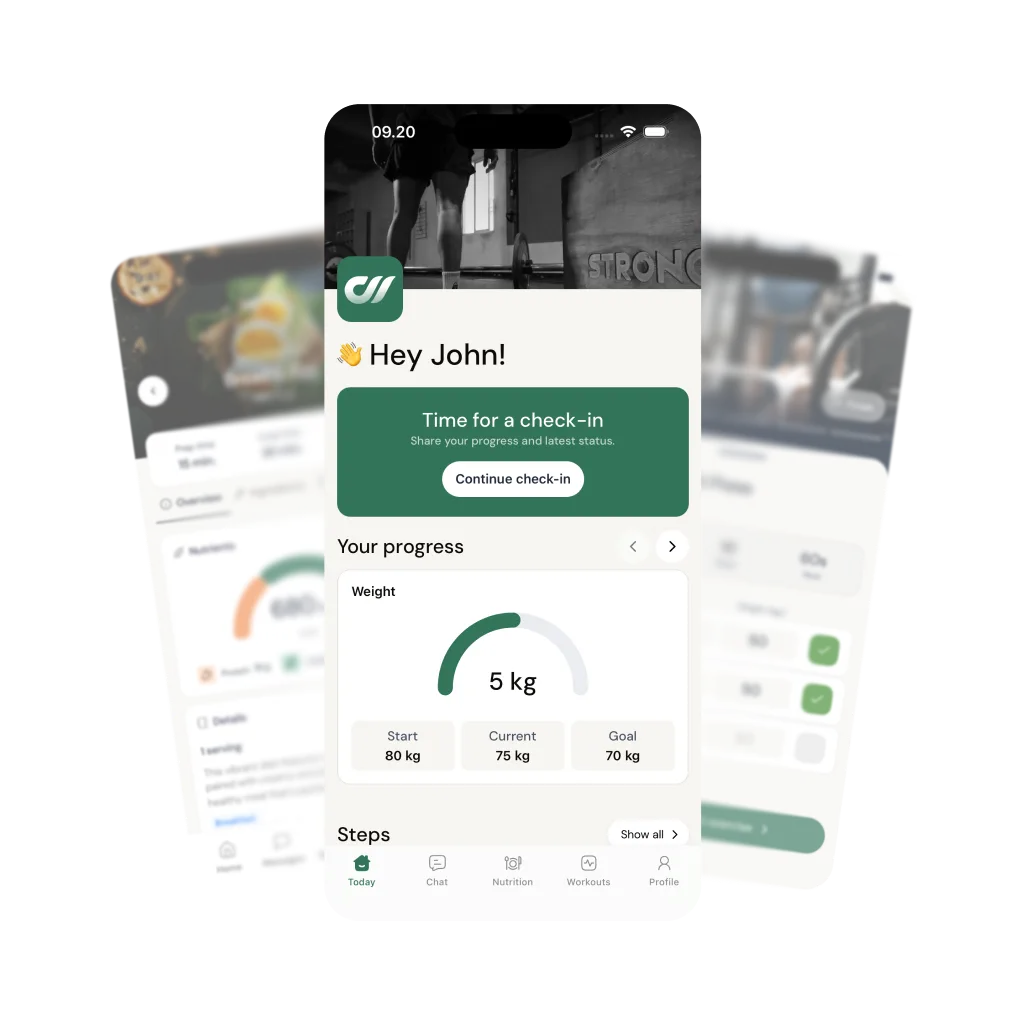
A personal trainer app in both senses - the coach app and the client app.
On the coach side, coaching from your phone means reviewing a check-in with its photos and data, replying with a text or a voice note, getting a push the moment a client checks in or messages, and spotting who has gone quiet - without waiting for laptop time. It mirrors the platform, so a check-in that lands during a gym-floor shift gets a same-day reply. The deepest program and meal-plan building is still most comfortable on the desktop builder; the day-to-day coaching travels with you.
On the client side, the client app is the one they open to train: the workout laid out with sets, reps and rest, a timer between sets, form videos on every lift, and pre-set alternatives to tap when a machine is taken. They log as they go, complete a guided weekly check-in, follow their meal plan and message you - all in one place, replacing the spreadsheet-plus-WhatsApp-plus-PDF stack. Same account underneath, so the two sides stay in sync automatically.
What should the client side of a personal trainer app do?
The client side of a personal trainer app is what your client opens every day, so it has to cover the whole week without extra tools. It should show each workout with sets, reps, rest and a video demo for every exercise, and let the client log weight and reps per set as they train. It should hold the meal plan and let them log food, ideally with a barcode scanner. It should run the weekly check-in as a form with photos and measurements, and keep chat, including voice notes, in the same app. Finally, it should work in the client's own language.
These six capabilities separate an app clients keep using from one they quietly abandon. Treat them as must-haves and test any app against them before you switch.
Workout logging with a rest timer and exercise videos
The client sees the session laid out - exercises, sets, reps, rest - logs weight and reps as they go, and watches a form video on any lift. That is what turns a PDF into an app.
See the client app →Supersets, dropsets and pre-set exercise swaps
Grouped work displays as a group, and when a machine is taken the client taps an alternative you set in advance and keeps moving - no back-and-forth message mid-workout.
See the workout builder →Guided weekly check-ins the client actually finishes
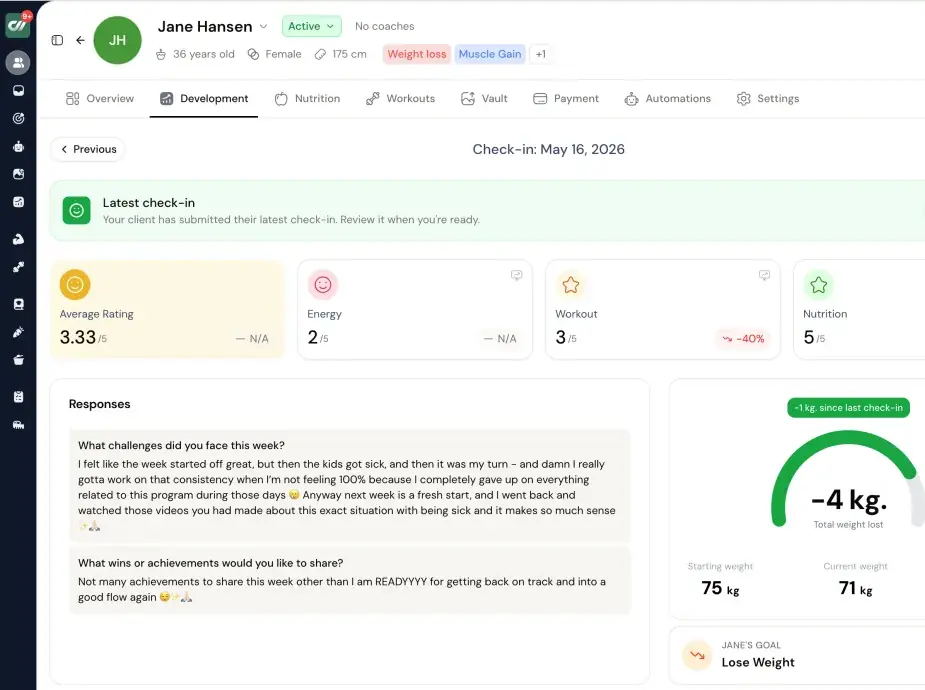
A step-by-step flow walks them through photos, measurements and ratings, and lets them save a draft to finish later - so you get complete data every week without chasing.
See check-ins and progress →In-app chat with text, voice notes and shared graphs
Real coaching conversation lives in the app, not scattered across WhatsApp and email. You can drop a client their own energy-rating graph with a note attached.
See coaching from your phone →A progress dashboard with step sync on iPhone and Android
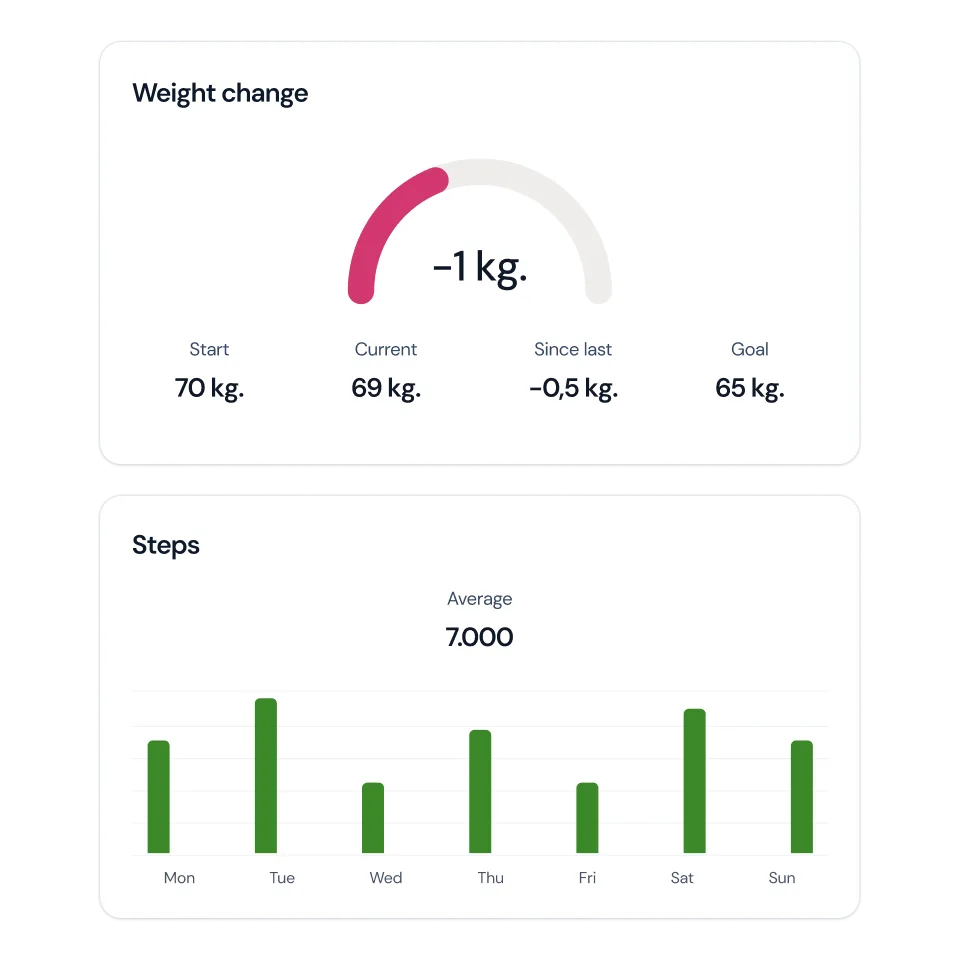
Weight trend, measurements and daily steps sync automatically and sit on one screen, so both of you read the same picture of the week.
See progress tracking →Interactive meal plans with macros
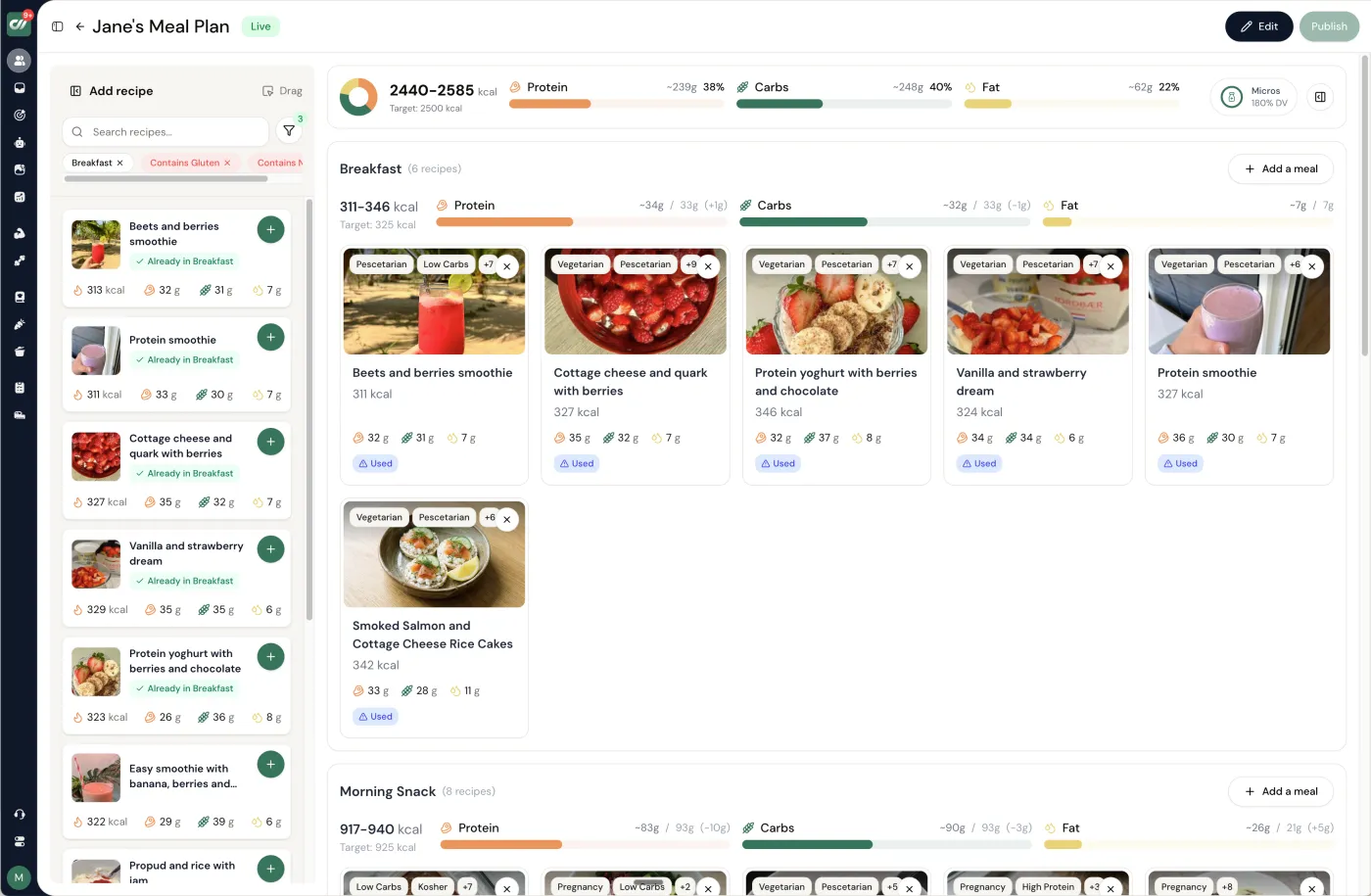
Nutrition belongs in the same app as training - daily calories and macros, recipe cards and dietary tags, not a separate spreadsheet the client never opens.
See the meal planner →What a client sees in the Coachway client app
- Workouts: each session laid out with sets, reps and rest, a rest timer, video demos from a 1,800+ exercise library, and per-set logging of weight and reps.
- Nutrition: the meal plan you built with its recipes and macros, plus food logging against a 3.7 million item food database with barcode scanning, a photo diary and quick add. You choose per client how much of this they see.
- Check-ins: the check-in form you designed, with progress photos and measurements that chart automatically.
- Chat: messages with you, including voice notes and video messages.
- Language: each client picks their own from eight - English, Danish, Norwegian, Swedish, Finnish, German, Dutch or Spanish.
Clients download the Coachway app on iOS or Android and find your own programs, meal plans, check-ins and prices inside it. More on the client app.
A personal trainer mobile app for iOS and Android.
The client app is standard on both iOS and Android and included on every plan, not a feature gated behind a higher tier. Clients download the Coachway app and find your own plans, check-ins and prices inside it, so the daily habit forms around your coaching. Coachway does not sell custom logos, colors or an app-store listing under your name; the branded app guide covers that route if store presence matters to you.
The client app runs in eight languages - English, Danish, Norwegian, Swedish, Finnish, German, Dutch and Spanish - so international clients each train in their own language. Step data syncs from the phone on both platforms, so activity shows up without the client logging it by hand.
How Coachway works as a personal trainer app.
Rather than one glossy screenshot, here is the real product - flip between the parts a personal trainer touches most.
The parts you use daily
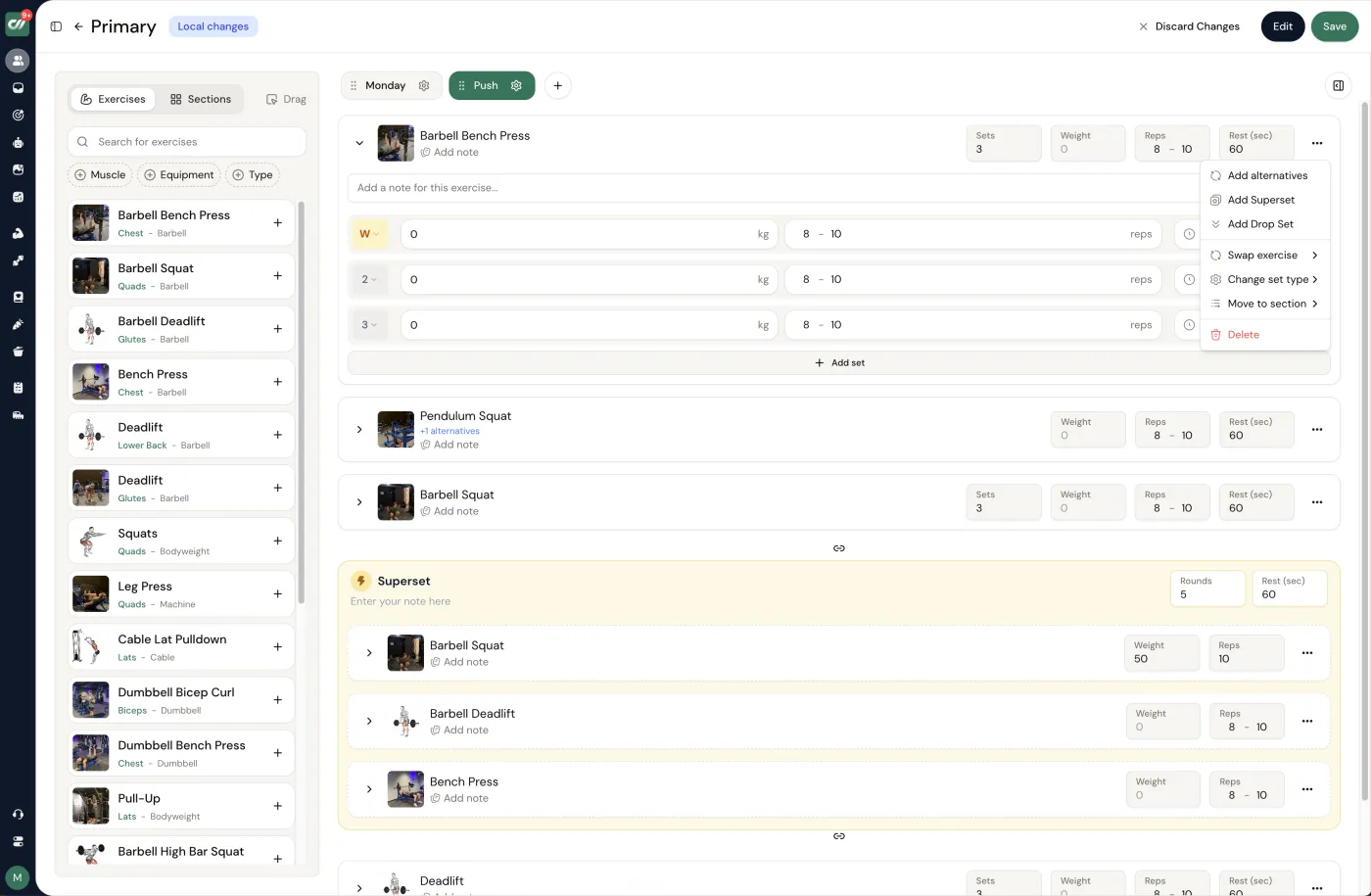
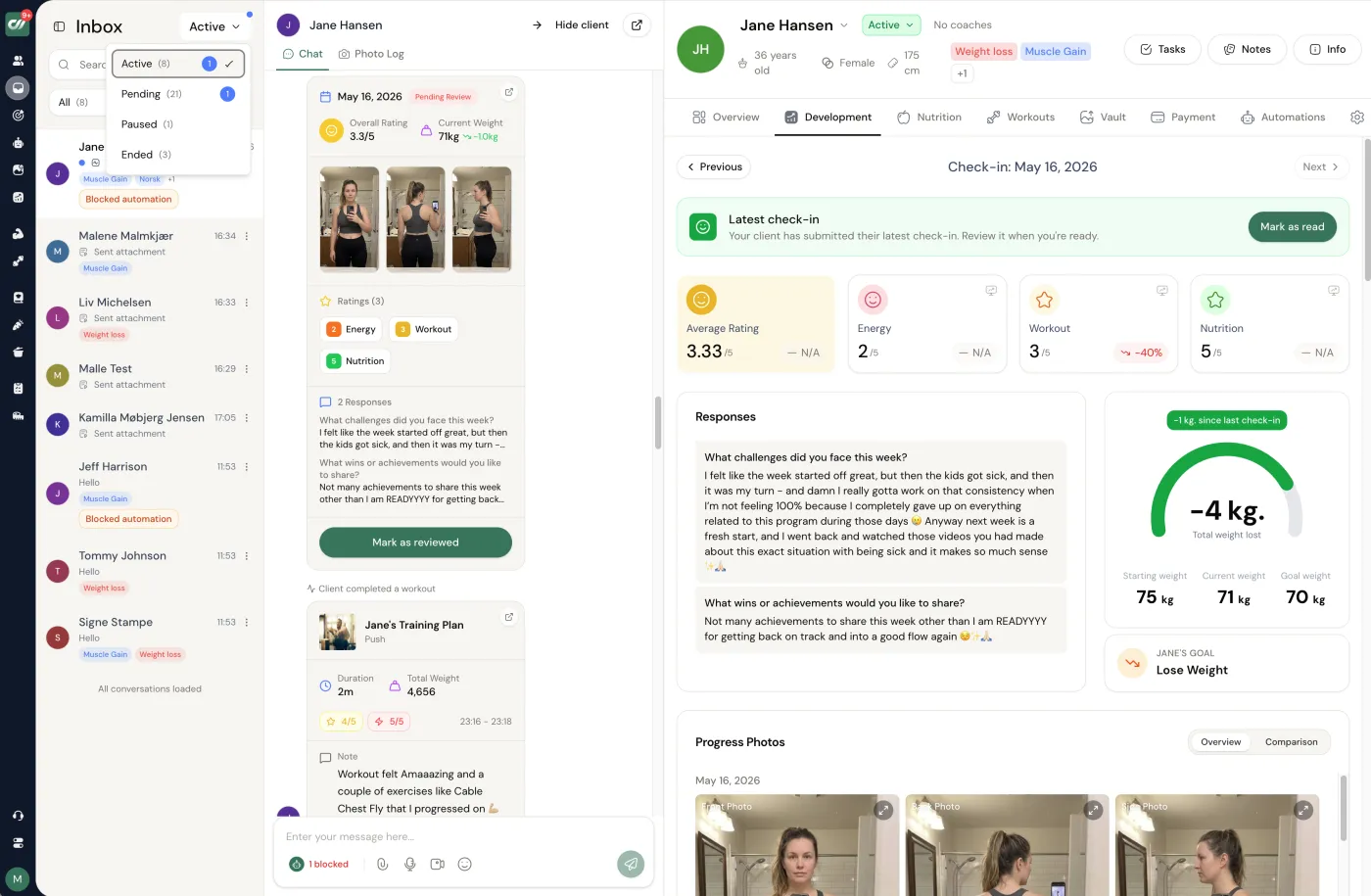
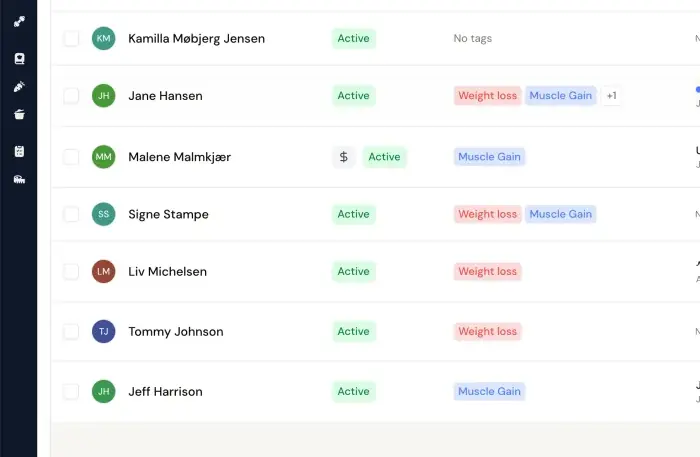
Workouts - Build training week by week from a full exercise library - supersets, dropsets, per-set logging.
Coachway is predictable per client: EUR 69 a month including your first 5 clients, then EUR 9 per additional active client, with every feature - the client app included - in the base price and no tiers. You keep your own Stripe, so client payments land in your account, The subscription takes no share of your coaching revenue; built-in payments cost 2.4 % per transaction, only if you choose them. The whole cost is on the pricing page, and the results side - weight change, steps, measurements - is what the client watches move week to week.
Turn your situation into a PT app requirements checklist
Before you start any free trial, paste your situation into ChatGPT and get a shortlist test plan back - the six must-haves for your client count, the one thing you can skip, and the capability most likely to make clients drop off.
PT app requirements checklist
When to use it: Before you start any free trial, to turn your situation into a shortlist test plan.
What to paste in: Your current client count, expected client count in 12 months, and your three non-negotiable features.
I'm a personal trainer choosing an app to run my coaching. My situation: [N] clients now, [N] expected in 12 months, I coach [training only / training + nutrition], my clients are in [COUNTRY / LANGUAGE], and my three non-negotiable features are [FEATURE 1, 2, 3]. Using only this, list the 6 app capabilities I should treat as must-haves (not nice-to-haves), the one capability I can safely skip for now, and the single thing most likely to make clients stop using the app. Keep it to my situation; do not recommend a specific brand.
How Coachway compares to Trainerize, Everfit and the rest.
Coachway is not the only personal trainer app, and the right pick depends on your client count, budget and whether a branded client app matters to you. If you would rather weigh the field side by side - Trainerize, Everfit, Kahunas and more, scored on price and features - read the full personal trainer app comparison. For the wider software view beyond the app itself, see online personal training software.
Personal trainer app - frequently asked questions.
What is a personal trainer app?
A personal trainer app is software that runs the two sides of online coaching: the coach side, where you program workouts, coach nutrition, review check-ins and message clients, and the client side - the app your client opens each day to train, log sessions, see their meal plan and talk to you. The best ones put both sides under one login, so a check-in the client submits lands straight in your review queue.
Is a personal trainer app the same as a fitness coaching app?
In practice, yes - the terms are used interchangeably for the app a coach uses to deliver training online. "Personal trainer app" leans toward the one-to-one training relationship; "fitness coaching app" is the broader phrase. Coachway serves both: fitness, nutrition and health coaches running roughly 10 to 80 clients one to one.
Do I need a separate coach app and client app?
You need both sides, but not two separate purchases. Coachway is one platform with a coach app on iOS and Android for running the business from your phone, and a client app your clients install to train. Same account, same data - a check-in the client submits shows up for you to review, and your reply lands back in their app.
How much does a personal trainer app cost?
Coachway is EUR 69 a month for up to 5 clients, then EUR 9 per additional active client, with every feature included from day one - the client app, workouts, nutrition, check-ins and messaging are all in the base price rather than gated behind higher tiers. You keep your own Stripe, so client payments stay in your account.
Does the personal trainer app work on iPhone and Android?
Yes. The client app is native on both iOS and Android, and the coach app runs on both too, so you can review a check-in and reply from a gym floor. Step data syncs from the phone on both platforms.
Can clients use the app under my own name and logo?
Not on Coachway. Your clients download the Coachway app on iOS or Android, included on every plan, and inside it they find your own plans, check-ins and prices in the language they pick from eight. Coachway does not sell custom logos, colors or an app-store listing under your name. If your own store presence is essential, some other platforms sell that as a paid add-on, so compare those options first.
Can I run my personal training business from my phone?
Most of the day-to-day, yes. The coach app lets you review check-ins with photos and data, reply with text or voice notes, get a push when a client checks in or messages, and see who has gone quiet. The deepest program and meal-plan building is still most comfortable on the desktop builder, but the coaching itself travels with you.
What's the difference between a personal trainer app and personal training software?
They are two views of the same thing. "Software" usually points at the coach-facing platform - programming, client management, billing - while "app" points at the phone experience, especially the client's. A complete tool is both. If you are comparing the wider software field, the personal training software guide covers it; this page is about the app both of you actually hold.
Comparing tools? The best personal trainer apps ranking scores the field, branded app for fitness coaches goes deep on the white-label question, and online personal training software covers the coach-side platform.
Keep reading
all guidesCoachAccountable alternatives: 5 best picks for 2026
The best CoachAccountable alternatives for online fitness coaches who want a fitness-native tool rather than general coaching software.
Read the guideCoachway vs FitSW: the honest comparison (2026)
Coachway and FitSW compared fairly: pricing, branded app, payments, native languages, and which one fits your coaching business best.
Read the guideFitSW alternatives: 5 best picks for 2026
The best FitSW alternatives for online fitness coaches, compared honestly on pricing, branded app, nutrition depth, and native-language support.
Read the guideFree tools for this: Coaching Tool Stack Cost Calculator · Coaching Profit Calculator · Client Capacity Calculator
The personal trainer app your clients open, and the one you coach from
Coachway is both - a client app in eight languages carrying your own plans, check-ins and prices, and a coach app you run the business from on iOS or Android. Everything included from EUR 69/month for up to 5 clients, then EUR 9 per active client. Start the 14-day free trial: no charge today, cancel anytime under Billing.


