



Metrics: track exactly what you measure
Track weight, circumference and ratings for every client, plus custom, editable metrics you create per client and back-dating - all feeding clear charts.
In short
Most platforms decide for you which numbers matter. Coachway lets you decide for yourself - lean on the standard set, add a custom metric per client, or do both.
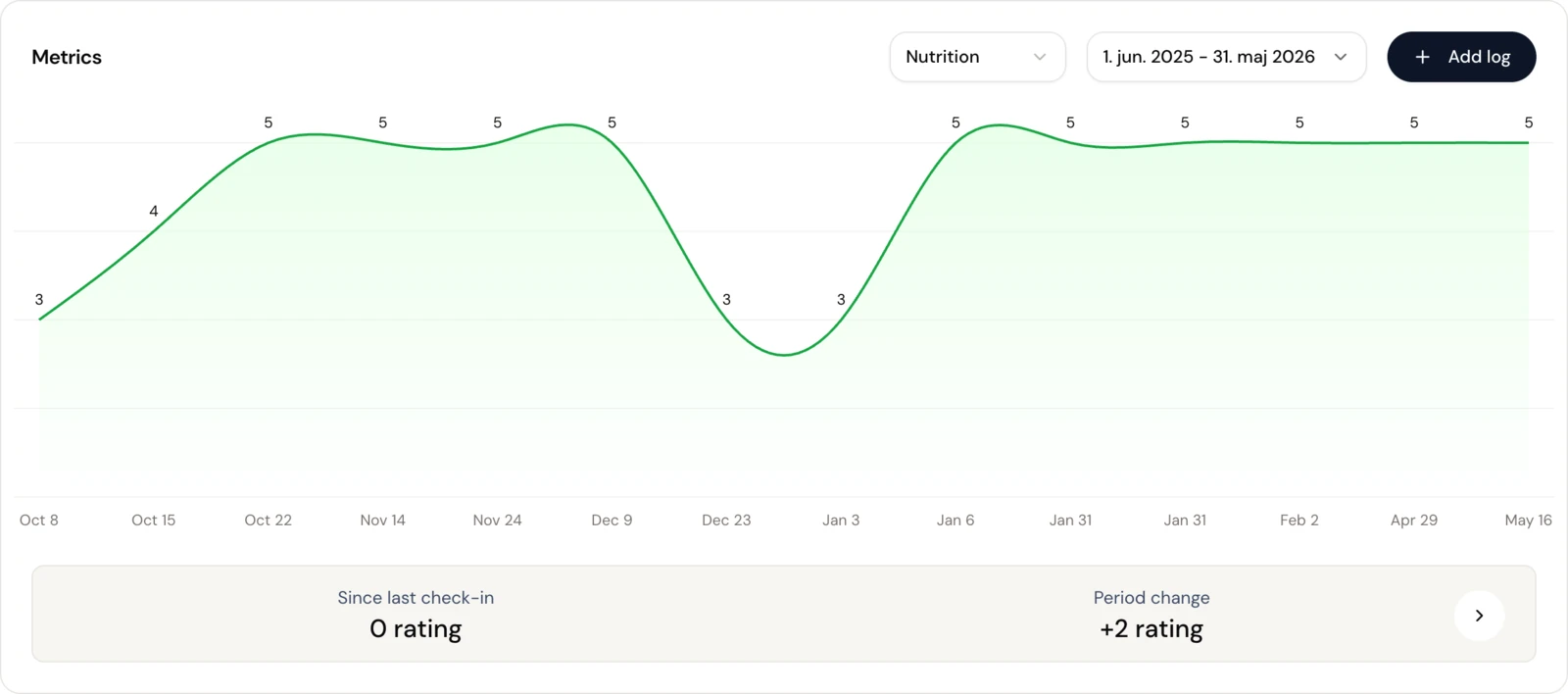
See the trend
Every metric as one clear chart, over any date range
Because measurement logging is part of the check-in flow, these charts fill in week after week. For the wider routine around them, see our guide to running client check-ins online.

Your data, your call
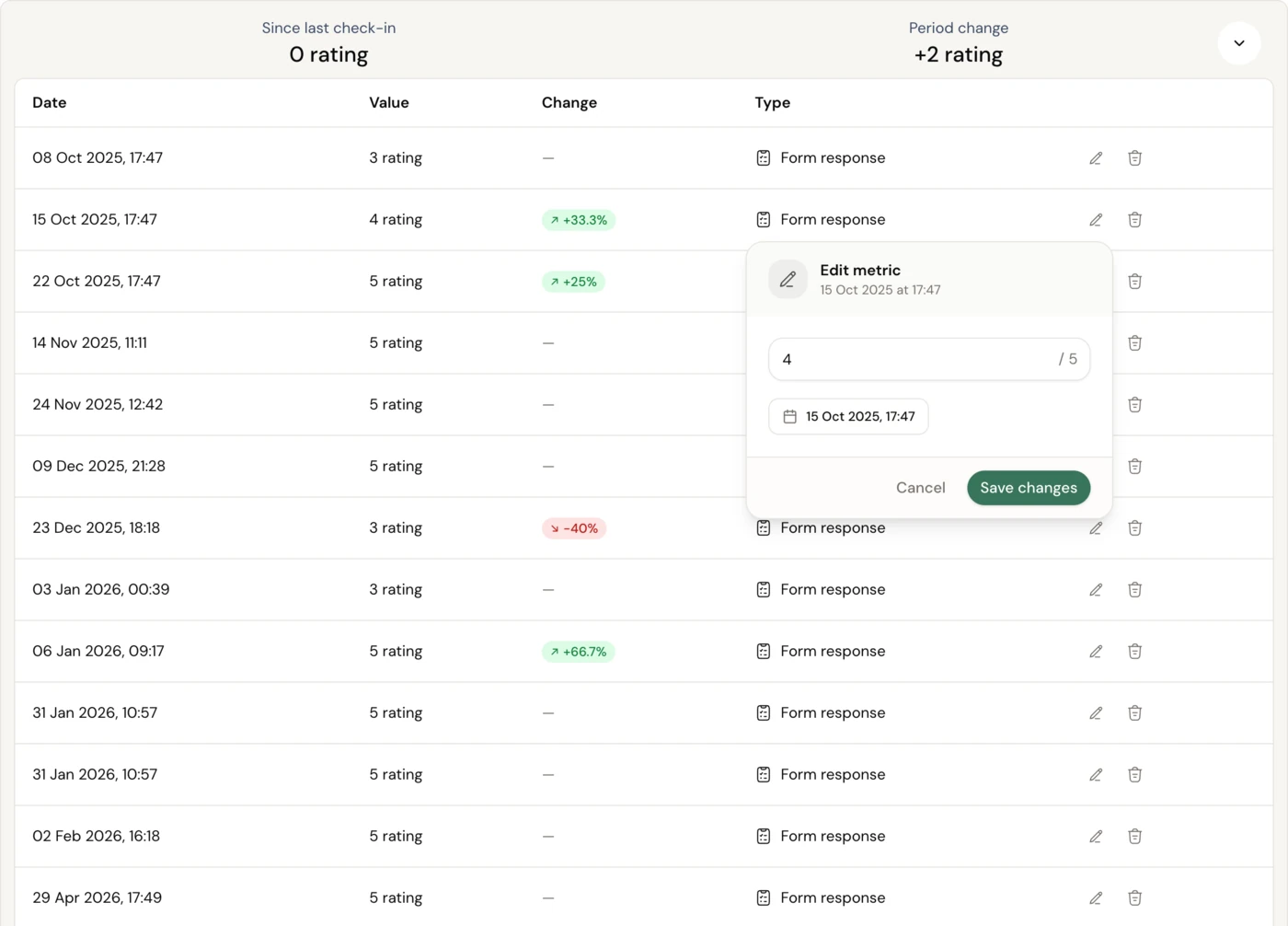
Edit or delete any value, in a tap
A client logs the wrong number, or you want to tidy up the history? Edit or delete any value without breaking the trend. The standard metrics come ready to use, and a custom metric you create sits in the same library and plots into the same charts.
Out of the box
Track from day one

Logging and back-dating
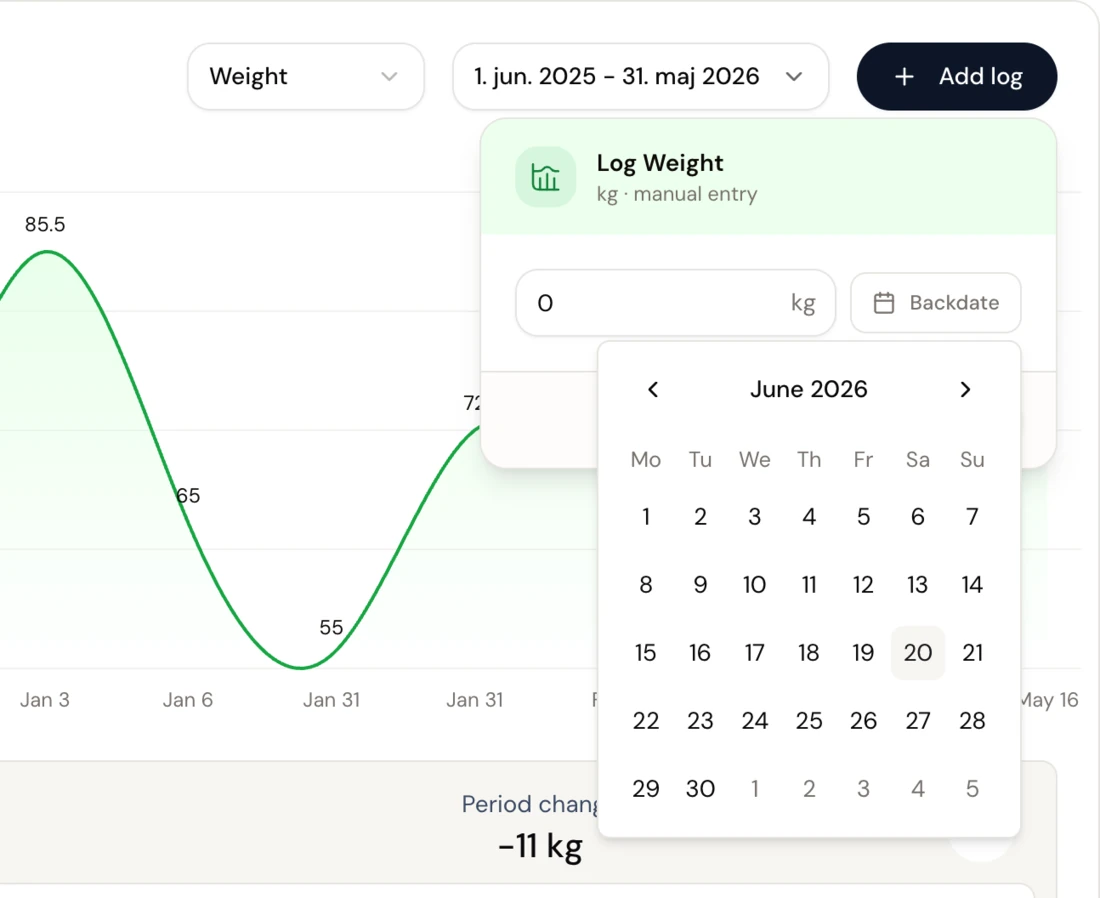
Add a log in seconds, or back-date the history
Log a value by hand with one tap, or let the client log it from their app. Migrating a client in? Back-date their measurements to any date, so their charts start full instead of empty.
Ways coaches use it
Measure what matters for each client
Coach the trend, not the noise
Watch the weight trend line over weeks instead of reacting to one heavy Monday morning.
Track a recomp
Weight plus waist and hip circumference tell the recomp story the scale alone hides.
When the scale barely moves
Log circumference so a client who is recomposing can still see clear progress.
Watch recovery, not just training
Sleep and energy ratings beside the training load flag burnout before it lands.
Migrate a client with history
Bring a new client's history across so their charts begin full, not blank, on day one.
Add a metric for one goal
Create a custom metric for something unique to one client's goal that no standard field covers.
Everything Metrics can do
See all featuresBuild the metrics you actually coach by
See it on a demo client - the standard set, a custom metric, and the charts they feed - on your own 14-day free trial.
Questions, answered
Can I track something that isn't in the list?
Yes - create a custom metric to track per client, and it sits right alongside the standard ones and plots into the same charts.
Can I remove metrics I never use?
Yes. Edit the predefined system metrics, and delete any you don't log, so each client's library stays lean and relevant.
Who logs the measurements - me or the client?
Either. Clients enter their own from the Coachway app, or you log from the Development page - you decide per client.
Do clients get reminded to log?
Measurement logging is part of the client check-in flow, so they enter their numbers when they check in; you can also log for a client any time. (Activity and steps sync automatically - see Activity tracking.)
Can I add a measurement with an old date?
Yes. As the coach you can back-date logs, which is ideal when a client migrates in with history from another platform - their chart starts full instead of empty.
Do the standard metrics power the charts and goals?
Yes. Weight feeds the weight chart and goal tracking, and circumference and the standard ratings flow into the Development page automatically - so composition change shows up without a special body-fat field.
What units does it use?
You log each metric as a number, in the units you and your client already work in, and the chart plots the trend over time.
Where do progress photos fit in?
Progress photos live with check-ins and Client progress rather than as a metric, so you get the numbers here and the visual story there.
Articles & guides
all guidesSohee Lee: Sustainable Fat Loss and Client Adherence (Coach Breakdown)
Sohee Lee's video on setting up fat-loss dieting numbers, broken down for coaches: why adherence beats the perfect plan, and the habit-tracking and weekly check-in systems that make it stick.
Read the guideHouse of Hypertrophy: Unilateral vs Bilateral Training (Coach Breakdown)
House of Hypertrophy's unilateral vs bilateral evidence review, broken down for coaches: why neither wins for growth, and when to program single-limb work for a client.
Read the guideMilo Wolf on Exercise Selection for Hypertrophy (Coach Breakdown)
Dr. Milo Wolf's science-based exercise selection, broken down for coaches: why loading a muscle at long lengths matters, and how to choose exercises for a client list with a repeatable filter.
Read the guideKeep exploring
Explore more features
Client progress
Track workouts, milestones, and personal bests with clear dashboards that show improvement over time.

Meal planner
Create tailored nutrition plans that align with client goals, complete with smart suggestions and easy adjustments.
Check-ins & forms
Collect feedback, assess readiness, and stay connected with customizable forms and quick check-ins.
See what Coachway can do for your coaching business
Coachway was built on knowledge from working with 150 online coaches over 6+ years, who all hit the same wall - slow platforms, clunky workflows, wasted hours. Start your 14-day free trial and see what we fixed - the whole platform, no charge today, cancel anytime under Billing.


