



A calorie calculator your clients only get when you say so
Clients enter their starting point, pick a goal and get a daily calorie and macro target - inside your app, on your terms. The calculator is off for every client until you flip the switch, so nothing changes for anyone you have not opted in.
Of all the Nutrition 2.1 tools, this is the one you hold tightest: the calculator ships off for every client, and you enable it one client at a time from their settings.
It pairs naturally with client meal plans - once a client has targets, they can build their own plan against them.

The client side
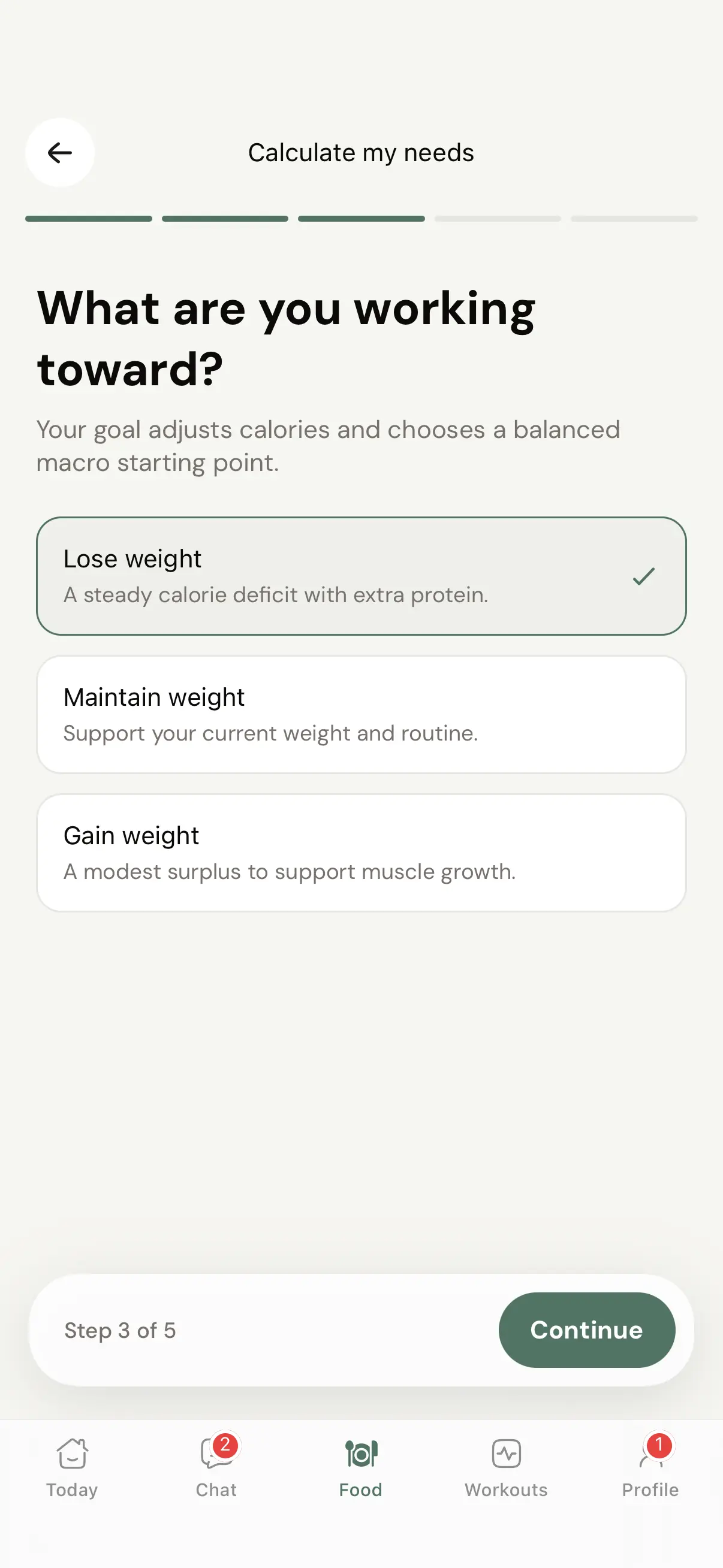
A guided flow, not a blank macro form
When you enable it, your client taps through five steps. Their starting point: birth date, height and current weight. Then a typical week, which separates work and daily movement from exercise and leisure on a one-to-five scale, so a nurse on her feet all day does not get the same estimate as someone at a desk. Then the goal: lose, maintain or gain. Then the pace - Gradual, Balanced or Fast - which decides how big the deficit or surplus actually is. Nobody stares at an empty protein field wondering what to type.

The result
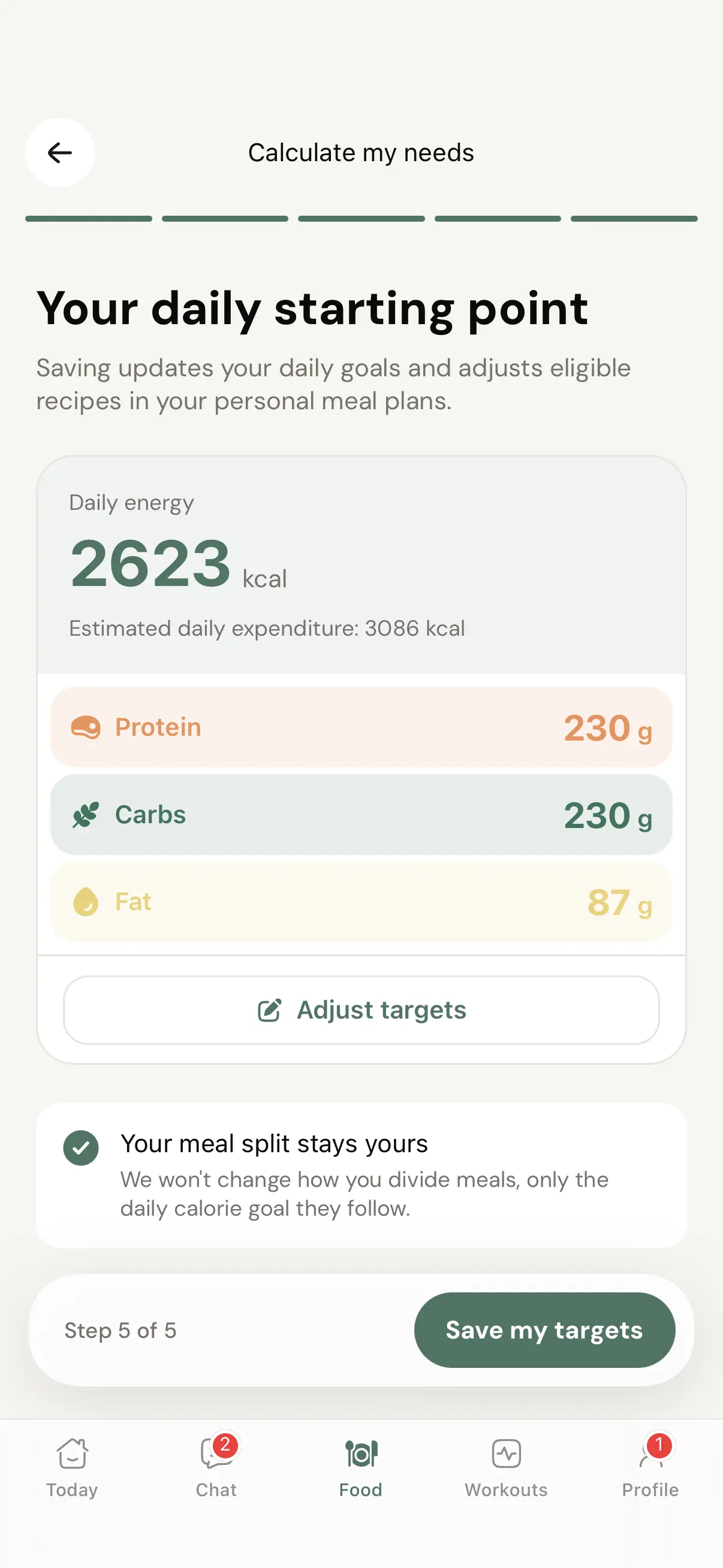
One clear daily starting point
At the end of the flow the client sees a single screen they can actually act on: a big daily energy number, protein, carbs and fat underneath, and an Adjust targets button for the client who knows their body well enough to nudge the suggestion. Right above the save button sits the line that matters most - their meal split stays theirs. The calculator sets the daily goal; it never rearranges how they divide their meals.

What Save actually does
The goals move. The plan keeps its shape.
Hitting Save my targets does exactly two things. The client's daily goals update to the new numbers, and eligible recipes in their personal meal plans rescale to match. Their plans keep the same meals, the same recipes and the same shape - the food just lines up with the new daily goal. Anything you assigned yourself stays in place and stays visible next to their own plans.
Your control surface
You decide what each client can touch
Everything a client can do with nutrition is set from their profile, under Settings and then Nutrition, with a live client app preview beside it so you see exactly what they see. Start from a preset, then fine-tune. The plans you build in the meal planner work the same at every access level - the toggles only change what the client can do on their own.
Full access
Every nutrition tool available.
7 of 7 nutrition features onTurns on all seven, calculator included - for clients you fully trust with their own numbers.
Standard
Log food without personal meal plans or the calculator.
3 of 7 nutrition features onClients log what they eat, but targets and plans stay in your hands.
Photo only
Snap meals, no counting.
1 of 7 nutrition features onFor clients who do better with awareness than arithmetic.
Plan only
Follows the plan, no logging.
0 of 7 nutrition features onThe tightest setting - they see the plan you built and nothing else.
The seven nutrition features you control
Shown here as Full access. Both the calorie calculator and personal meal plans start off - the two most independent tools wait for your say-so.
Food database search
Search a shared library of foods and log them in a tap.
Barcode scanning
Scan packaged-food barcodes to log them instantly.
Photo logging
Log food from a photo when the mobile flow is available.
Custom recipes
Can create and edit their own recipes.
Personal meal plans
Can create and edit their own meal plans.
Also let them adjust daily targets.
Calorie calculator
Can calculate calories and macro targets in the app.
Nutrition visibility
Calories and macros are visible across logs, targets and summaries.
Where it earns its keep
For the clients who have earned some independence
The long-term client
Two years in, they know their food better than most coaches know theirs. Let them run their own numbers between check-ins instead of messaging you for every small adjustment.
Aftercare
A finished 1:1 client stays on the app at a lower fee, without chat. The calculator keeps their targets current without costing you an hour a month.
Maintenance phases
The cut worked. Now hand over the reins so they practice holding their weight on their own - with the structure you built still underneath them.
The self-run cut
Some clients genuinely want to steer their own deficit. Give them the tool, watch the logs, and step in only when the data says you should.
The calculator shipped as part of the Coachway nutrition system, alongside food logging and client meal plans.
Everything the calorie calculator can do
See all featuresSee the control surface before your clients do
We will walk you through the Nutrition settings on a demo client - presets, toggles and the live app preview - so you know exactly what you are handing over.
Questions, answered
Is the calculator on for my clients by default?
No. It ships off for every client, and so do personal meal plans. You switch it on one client at a time from their profile, under Settings and then Nutrition. Until you do, nothing about their app changes.
If I enable it for one client, does that change anyone else?
No. The setting lives on the individual client profile. Turning it on for your maintenance client has zero effect on the client next to them - every client keeps exactly the access you gave them.
What does my client actually go through?
Five steps. Their starting point - birth date, height and current weight. A typical week, rating daily movement and training separately on a one-to-five scale. Their goal: lose, maintain or gain. Their pace: Gradual, Balanced or Fast, which sets how large the deficit or surplus is. Then one summary screen with daily energy plus protein, carbs and fat, which they can adjust before saving.
What happens the moment they hit Save my targets?
Two things: their daily goals update, and eligible recipes in their personal meal plans adjust to the new targets. Beyond that, their meal split is left exactly as they set it.
Will it rearrange how their meals are split?
No. The app tells the client this in plain words on the save screen: their meal split stays theirs. Saving changes the daily calorie goal their meals follow, never how they divide those meals across the day.
What about meal plans I have already assigned?
The plans you assigned stay in place and stay visible. The recipe rescaling on save applies only to eligible recipes in the personal meal plans the client built themselves.
Can clients tweak the numbers before committing?
Yes. The result screen has an Adjust targets button, so a client who knows their body can nudge the suggestion before saving it as their daily goal.
Which preset includes the calculator?
Only Full access turns on all seven nutrition features, calculator included. Standard deliberately leaves out personal meal plans and the calculator. And you are never locked to a preset - you can mix the seven nutrition features however you like per client.
Do my clients need to install anything new?
No. The calculator lives inside the Coachway client app they already use. Once you enable it for a client, it is there - and the live client app preview next to the settings shows you exactly what they will see.
Who is this actually for?
Clients who have earned some independence: long-term clients who know their food, aftercare clients staying on the app at a lower fee, maintenance phases, and the client who wants to run their own cut with your structure still underneath.
Can they build a meal plan from the targets they saved?
Yes, if you also switch on Personal meal plans. The saved targets pre-fill any new plan the client creates, so the plan they build starts from the numbers the calculator gave them.
Articles & guides
all guidesHow to calculate TDEE and set macros for coaching clients (2026)
How to calculate TDEE and set macros for coaching clients: the formula, activity multipliers, a worked example, and how to adjust from real check-in feedback. General information, not medical or dietetic advice.
Read the guideWhat Are Macros? A Clear Guide to Macronutrients
Macros are the three energy-providing nutrients - protein, carbs, and fat. What each does, the calories they carry, and the protein-first method coaches use to set client targets.
Read the guideWhat Is an Online Nutrition Coach? (2026 Guide)
What an online nutrition coach does, the tools they use, their scope of practice, and how to become one - a clear, practical guide for new and aspiring coaches.
Read the guideKeep exploring
Explore more features
Client progress
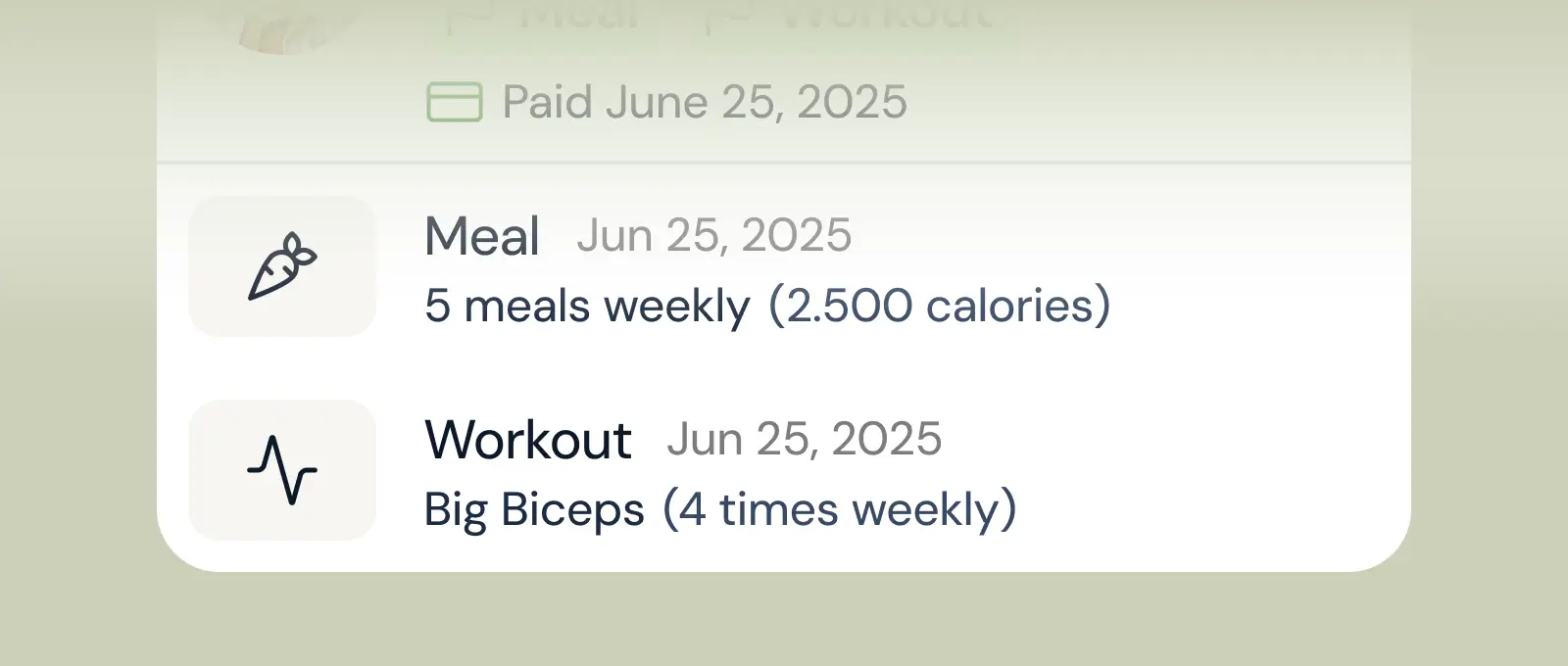
Track workouts, milestones, and personal bests with clear dashboards that show improvement over time.

Meal planner
Create tailored nutrition plans that align with client goals, complete with smart suggestions and easy adjustments.
Check-ins & forms
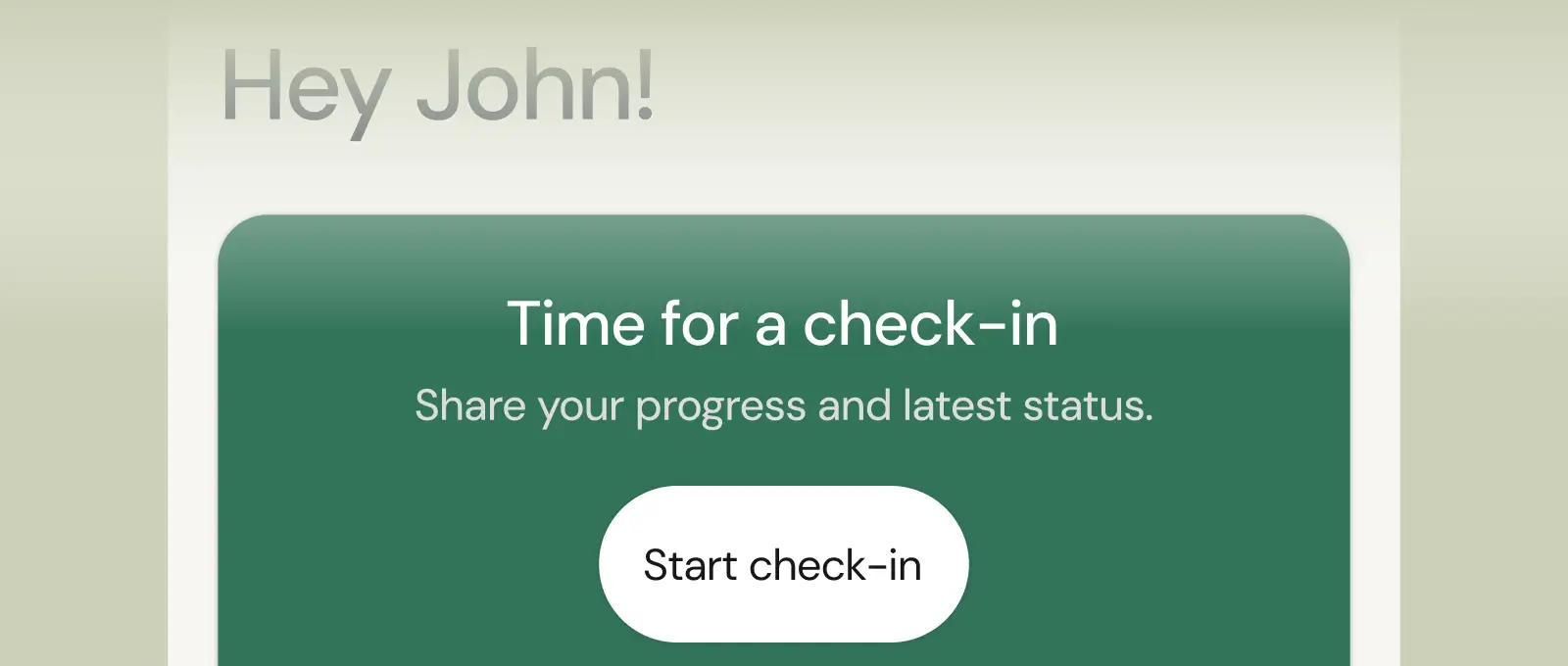
Collect feedback, assess readiness, and stay connected with customizable forms and quick check-ins.
See what Coachway can do for your coaching business
Coachway was built on knowledge from working with 150 online coaches over 6+ years, who all hit the same wall - slow platforms, clunky workflows, wasted hours. Start your 14-day free trial and see what we fixed - the whole platform, no charge today, cancel anytime under Billing.


