


The best scheduling software for coaches in 2026.
Coach booking software splits into two camps: dedicated schedulers like Calendly, Acuity Scheduling, and Cal.com that turn a link into booked appointments, and coaching platforms like Coachway that keep the booking next to the client's programming, check-ins, and messages. Which camp you should be in depends on what you actually book - here is the honest comparison of all ten.
By Markus Evers · Updated July 2026
How this comparison is made: we check every competitor's pricing and features against their live websites and re-verify them on a recurring basis. Coachway is our product - we flag it where it appears, we credit real competitor strengths, and we say who each platform fits better than us. Browse all platform comparisons.
the short version
The best scheduling software for coaches depends on what the booking is. A class, a studio slot, or a paid one-off appointment belongs in a dedicated scheduler. A discovery call or a client check-in belongs next to the rest of that client's coaching, because the booking is the start of a relationship, not the end of a transaction.
Our picks: Coachway for online coaches whose bookings are discovery calls and check-in cadence, with everything after the booking in one tab and predictable per-client pricing. Calendly as the default standalone booking link, Cal.com for coaches who want an open-source scheduler they control, Acuity Scheduling for classes and payment at booking, SimplyBook.me for a booking website, Setmore for small teams on a budget, and TidyCal for one-time pricing. We also cover how Trainerize, PT Distinction, and Kahunas handle scheduling inside a coaching platform.
Two kinds of coaches search for scheduling software.
If you run classes, small groups on a timetable, or in-person appointments, your scheduling problem is capacity: filling slots, taking payment at booking, and handling a roomful of people. Dedicated schedulers were built for exactly that, and they are genuinely better at it than any coaching platform. If you coach online clients one to one, your scheduling problem is different: a discovery call that should become a tracked lead, and a check-in rhythm that should sit next to the client's plan and messages. For that coach, a standalone scheduler is one more tab - the booking lands in a calendar, and everything you know about the person lives somewhere else. Both camps are covered below, and the comparison table shows which tool belongs to which. If you are still choosing your wider stack, our best coaching apps for online coaches roundup covers the full platforms in depth.
- Self-booking from a link. Clients and prospects pick a free slot themselves instead of trading messages to find a time.
- Availability rules. Working hours, buffers, lead time, and blocked dates, so the calendar only offers slots you can keep.
- Reminders and time zones. Automated reminders and correct local times are the biggest levers against no-shows.
- Payment at booking. For paid one-off sessions, the slot should only be held once the client has paid.
- Calendar sync. Bookings write to your real calendar and your busy times block new slots.
- What happens after the booking. The line between the two camps: does the booking become a lead and a session in a client record, or stay a calendar entry?
How we compared the scheduling tools.
We judged each tool on five things a coach actually feels: whether there is a free tier, whether it can collect payment at the moment of booking, whether it handles group and class sessions, whether it syncs with your existing calendar, and whether it is a standalone scheduler or part of a coaching platform. We deliberately did not rank on feature-list length - a class studio and an online coach with 40 one-to-one clients need almost opposite tools, and the ranking says which is which. For the admin side beyond booking, see the best client management software for personal trainers.
The 10 scheduling tools, compared.
| Tool | Free tier | Payment at booking | Group / class sessions | Calendar sync | Standalone or platform |
|---|---|---|---|---|---|
| Coachway | 14-day free trial | Recurring client billing via your own Stripe, not per-slot payments | Group coaching, not class timetables | Works alongside your existing booking link | Coaching platform |
| Calendly | Yes, one event type | On paid plans, via payment integrations | Group events supported | Yes | Standalone scheduler |
| Cal.com | Yes, for individuals | Via payment integrations | Group and collective events | Yes | Standalone, open-source |
| Acuity Scheduling | Free trial, then paid | Yes, a core strength | Yes, classes and workshops | Yes | Standalone scheduler |
| SimplyBook.me | Yes, with booking limits | Yes | Yes, classes and events | Yes | Standalone booking site |
| Setmore | Yes | Yes | Yes, classes | Yes | Standalone scheduler |
| TidyCal | Yes, limited | Yes, via integrations | Group bookings | Yes | Standalone scheduler |
| Trainerize | Free tier, then paid plans | Session billing inside the platform | In-person and online sessions | Yes | Coaching platform |
| PT Distinction | Free trial, then paid | Billing inside the platform, not per-slot | Group coaching | Scheduling inside the platform | Coaching platform |
| Kahunas | Paid monthly plans | Billing inside the platform, not per-slot | Group and community features | Scheduling inside the platform | Coaching platform |
Pricing and feature tiers change often - always confirm current plans on each vendor's own site. The full breakdown of each tool is below.
If most of your bookings are discovery calls and client check-ins rather than a class timetable, see how Coachway keeps the whole relationship - not just the slot - in one tab.
No charge today - cancel anytime under Billing.01 · best for online coaches with ongoing clients
Coachway
Coachway is a European coaching platform, and it wins this list for a specific coach: the one whose bookings are discovery calls and an ongoing check-in cadence rather than a class timetable. Keep your booking link where it is, and put a Coachway lead form beside it: the enquiry is tracked with its source, notifies you in Slack or email, and converts to a client in one click. Coachway does not have a built-in calendar, so the slot itself stays in whichever scheduler you already use. Client sessions and weekly check-ins sit next to that client's programming, meal plan, progress, and messages in one tab (the Power Panel), reminders run on automations, and billing goes through your own Stripe on predictable per-client pricing. In other words: the scheduler handles the slot, Coachway handles the relationship the slot belongs to. See the full feature set, how new calls become a pipeline in leads, and the numbers on the pricing page.
The trade-off: Coachway is not a standalone booking calendar. There is no per-slot payment at booking and no class timetable, so a coach who mostly runs classes, a studio, or paid one-off appointments is genuinely better served by Acuity, SimplyBook.me, or Setmore - or by pairing one of them with Coachway for the online-client side.
Coaching online clients and tired of the booking living three tabs away from the client? See it in one tab.
No charge today - cancel anytime under Billing.02 · the default booking link
Calendly
The best-known standalone scheduler, and for good reason: it makes a clean booking link with availability rules, buffers, time-zone handling, and automated reminders in minutes. The free plan covers one event type, which is enough for a discovery-call link; paid plans add more event types, workflows, and payment collection through payment integrations. For a coach who wants the simplest possible way to let prospects book a call, this is the safe pick.
The trade-off: the booking is the end of the road. Calendly knows nothing about the client's plan, check-ins, or history, so everything after the call lives in other tools.
03 · open-source and flexible
Cal.com
An open-source alternative to Calendly with a generous individual plan, clean embeds, and deep customization. Because it is open source you can self-host it, style the booking page heavily, and keep full control of your data - appealing if your booking link is embedded on your own site and you care how it looks. Payments run via integrations, and group and collective event types are supported.
The trade-off: the flexibility comes with more setup than Calendly, and like every standalone scheduler it stops at the booking.
04 · classes and paid appointments
Acuity Scheduling
Part of the Squarespace family and the strongest pick here for appointment-based businesses. Acuity was built for exactly the coach the all-in-one platforms serve worst: classes, workshops, packages, gift certificates, intake forms, and payment collected at the moment of booking. If you run a studio, sell session packs, or take paid one-off consults, this is the specialist tool doing specialist work.
The trade-off: no free tier beyond the trial, and no coaching features - programming, check-ins, and client history need to live elsewhere.
05 · a full booking website
SimplyBook.me
More than a link: SimplyBook.me gives you a whole booking website with services, classes, memberships, and payment collection, plus a free tier with booking limits to start on. It suits a coach whose booking page effectively is their storefront - multiple services, class schedules, and online payment in one place - and it is popular with European service businesses.
The trade-off: the breadth means more setup than a simple link, and many features gate by plan tier.
06 · free tier for small teams
Setmore
A friendly, budget-conscious scheduler with a usable free tier, staff calendars, class bookings, and payment collection. It suits a small coaching operation with a couple of trainers sharing a calendar - each with their own services and hours - without paying enterprise prices for the privilege.
The trade-off: lighter on advanced availability rules and automation than Acuity or Cal.com, and again: nothing after the booking.
07 · one-time pricing
TidyCal
A lean Calendly alternative known for one-time lifetime pricing instead of a subscription, plus a limited free plan. It covers the essentials - booking types, calendar sync, group bookings, and payments via integrations - and for a coach who resents another monthly line item, paying once and being done has real appeal.
The trade-off: a smaller feature set and integration catalog than Calendly or Cal.com - fine for a simple link, limiting beyond that.
08 · scheduling inside a training platform
Trainerize
One of the most established workout-first coaching platforms in North America, with session scheduling and billing living inside the same system as the client's training. For a hybrid trainer who delivers programs through Trainerize and books in-person or video sessions with those same clients, keeping the appointment in the platform beats a separate calendar tool.
The trade-off: it only makes sense if Trainerize is your platform; nobody adopts it for the scheduler alone, and nutrition tools are lighter than nutrition-led platforms.
09 · scheduling next to deep programming
PT Distinction
A UK-built coaching platform with strong nutrition tooling and deep, customizable programming, where session scheduling sits inside the same system as the client's plan. Like Trainerize, the scheduling is a supporting feature rather than the headline: you choose PT Distinction for the coaching depth, and the calendar comes along with it.
The trade-off: the interface is dated compared with newer apps, and there is no per-slot payment-at-booking flow like a dedicated scheduler's.
10 · scheduling in a branded-app platform
Kahunas
A coaching platform built around 1:1 coaching and a branded client app, with group and community features alongside individual clients. Scheduling and check-in cadence live inside the platform with the rest of the coaching relationship. Worth a look if the branded app is your priority and scheduling is a supporting need rather than the main event.
The trade-off: a smaller integration catalog than the longest-established platforms, and no class-timetable or payment-at-booking tooling.
Pick by what you book, not the feature list.
- You coach online clients and your bookings are discovery calls and check-ins. Coachway - the enquiry is captured by a lead form and the coaching lives next to the client's plan, while one simple calendar link, from any scheduler, covers the slot itself.
- You run classes, a studio, or sell session packages. Acuity Scheduling, with SimplyBook.me if you want the booking page to be your whole storefront.
- You just need a clean discovery-call link today. Calendly's free plan, or Cal.com if you want the page on your own terms.
- You hate subscriptions. TidyCal's one-time pricing.
- You share a calendar with another trainer or two. Setmore.
- You already run clients on Trainerize, PT Distinction, or Kahunas. Use the scheduling inside your platform before adding another tool - one more tab has to earn its place.
- Your real bottleneck is everything around the booking. Check-ins, follow-ups, and payments are the platform's job - our check-in software guide covers that side.
Landed in the first camp? See how a booked discovery call becomes a tracked lead, and a client session sits next to their plan, check-ins, and messages.
No charge today - cancel anytime under Billing.The 30-minute setup that works with any of these tools.
Whichever camp you land in, the setup is the same. Define the hours you actually want to take calls, add buffers and a minimum lead time, and connect your existing calendar so personal commitments block slots. Create two booking types - a short free discovery call for prospects and a separate session type for active clients - and put the discovery link where prospects already are: your Instagram bio, your emails, your landing page. Let confirmations, time-zone-correct invites, and reminders run automatically, with a one-tap reschedule link in every confirmation.
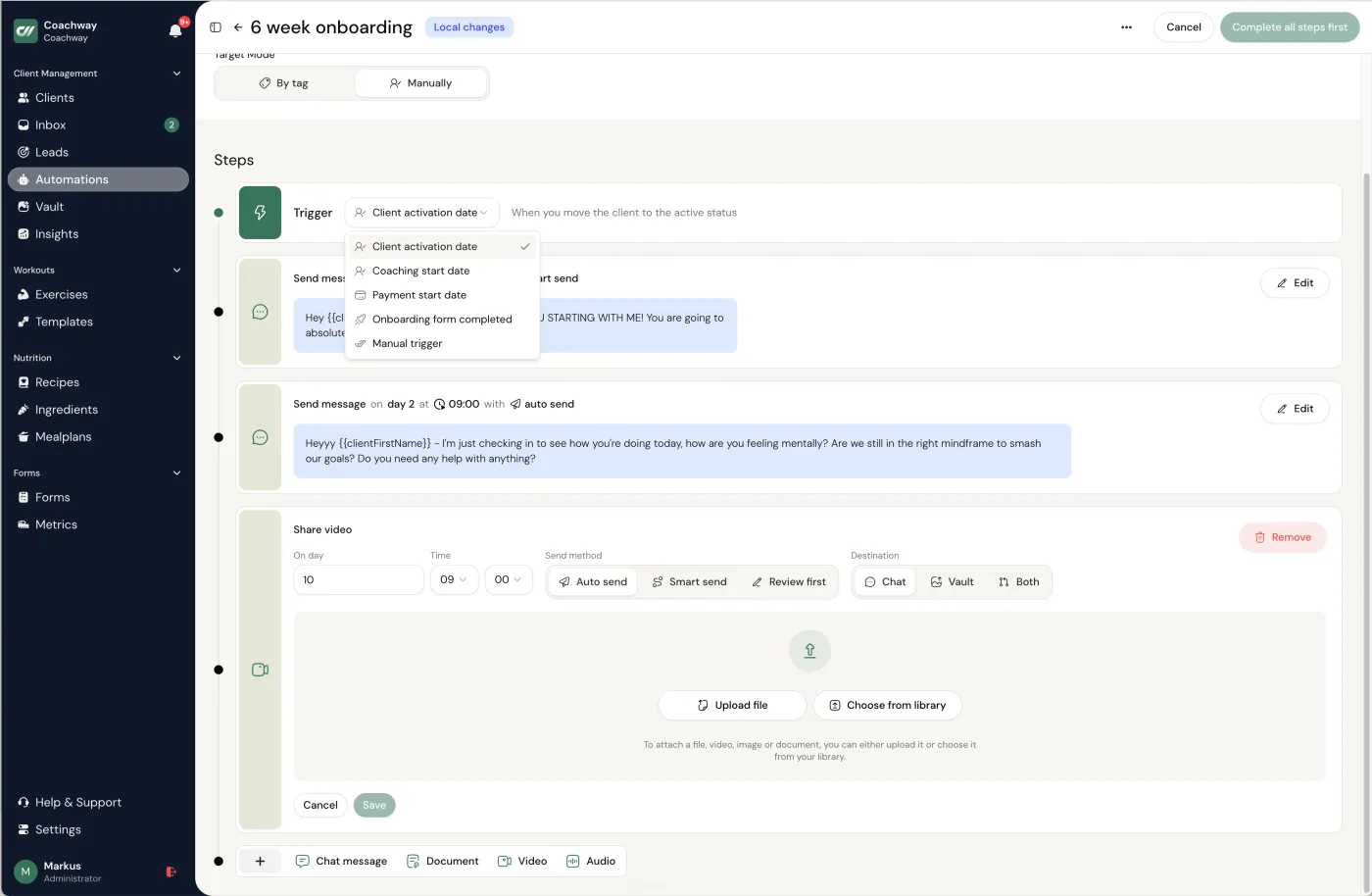
Then the step most coaches skip: decide where the booking goes next. A discovery call should become a tracked lead you follow up on, and a session should land next to that client's plan and history - whether that is inside your coaching platform or a habit you build manually. If you are still working on the conversation itself, our guide on how to run a discovery call for online coaching covers the structure that turns booked calls into clients, and coaching clients across time zones covers the cross-border cases.
Frequently asked.
What is the best scheduling software for coaches?
It depends on what your bookings are. If you run classes, a studio timetable, or sell one-off appointments, a dedicated scheduler such as Calendly, Acuity Scheduling, or Cal.com is the right tool. If your bookings are discovery calls and an ongoing check-in rhythm with online clients, a coaching platform like Coachway keeps the booking next to the client's programming, check-ins, and messages instead of in a separate calendar tool.
Do I need a separate scheduling app if I use a coaching platform?
Usually only for the calendar link itself. Most online coaches keep one simple booking link for discovery calls and let the coaching platform handle everything after the booking: the lead record, the client's plan, check-ins, reminders, and payments. A full scheduling suite on top of a coaching platform is mostly worth it when classes or in-person appointments are a big part of your business.
Can clients pay when they book?
Dedicated schedulers such as Acuity Scheduling, SimplyBook.me, Setmore, TidyCal, and Calendly on paid plans can collect payment at the moment of booking, which suits one-off sessions and consults. Coaching platforms tend to bill differently: Coachway, for example, runs recurring client subscriptions through your own Stripe account rather than charging per booked slot, which fits ongoing coaching better than pay-per-session work.
How does scheduling software cut no-shows?
Three things do most of the work: automated reminders before the call, a confirmation that shows the correct local time, and a one-click reschedule link so a client who hits a conflict moves the slot instead of ghosting it. Every tool in this list handles those basics; the differences are in what happens after the booking.
Is there good free scheduling software for coaches?
Yes. Calendly, Cal.com, Setmore, SimplyBook.me, and TidyCal all offer free plans that cover a single booking type with calendar sync and reminders, which is enough for a discovery-call link. Payment collection, multiple event types, and class features usually sit on paid tiers, so check the free plan's limits against what you actually book.
How does Coachway handle scheduling?
Coachway is a coaching platform, not a standalone booking calendar, and it has no built-in calendar or booking module. Enquiries come in through Coachway's own embeddable lead forms, which you can put next to your booking link, and convert to a client in one click. Client check-ins then sit next to that client's plan and messages in one tab, reminders run on automations, and billing goes through your own Stripe on predictable per-client pricing. If your main need is a class timetable or per-slot payments, pair it with a dedicated scheduler or use one instead.
Keep reading
all guidesBest Coaching Apps for Online Coaches (7 Picks, 2026)
The best coaching apps for online fitness and nutrition coaches in 2026, compared on features, branded client app, payments, and who each one fits.
Read the guide7 best client management software for personal trainers (2026)
An honest comparison of the 7 platforms online coaches actually use. Pricing, features, support, Stripe ownership, and which one fits which size of business.
Read the guideCheck-in software for online coaches
The buying guide for client check-in software: custom forms, ratings, progress photos, reminders, trend tracking, drafts, and faster weekly reviews.
Read the guideHow to run a coaching discovery call (without being salesy)
The help-first discovery call: diagnose before you prescribe, run a simple rapport-to-fit structure, and handle "I need to think about it" without pressure.
Read the guideBooking the call is the easy part.
Coachway turns booked discovery calls into tracked leads and keeps every client's sessions, check-ins, and messages in one tab. Start a 14-day free trial - no charge today, cancel anytime under Billing.


